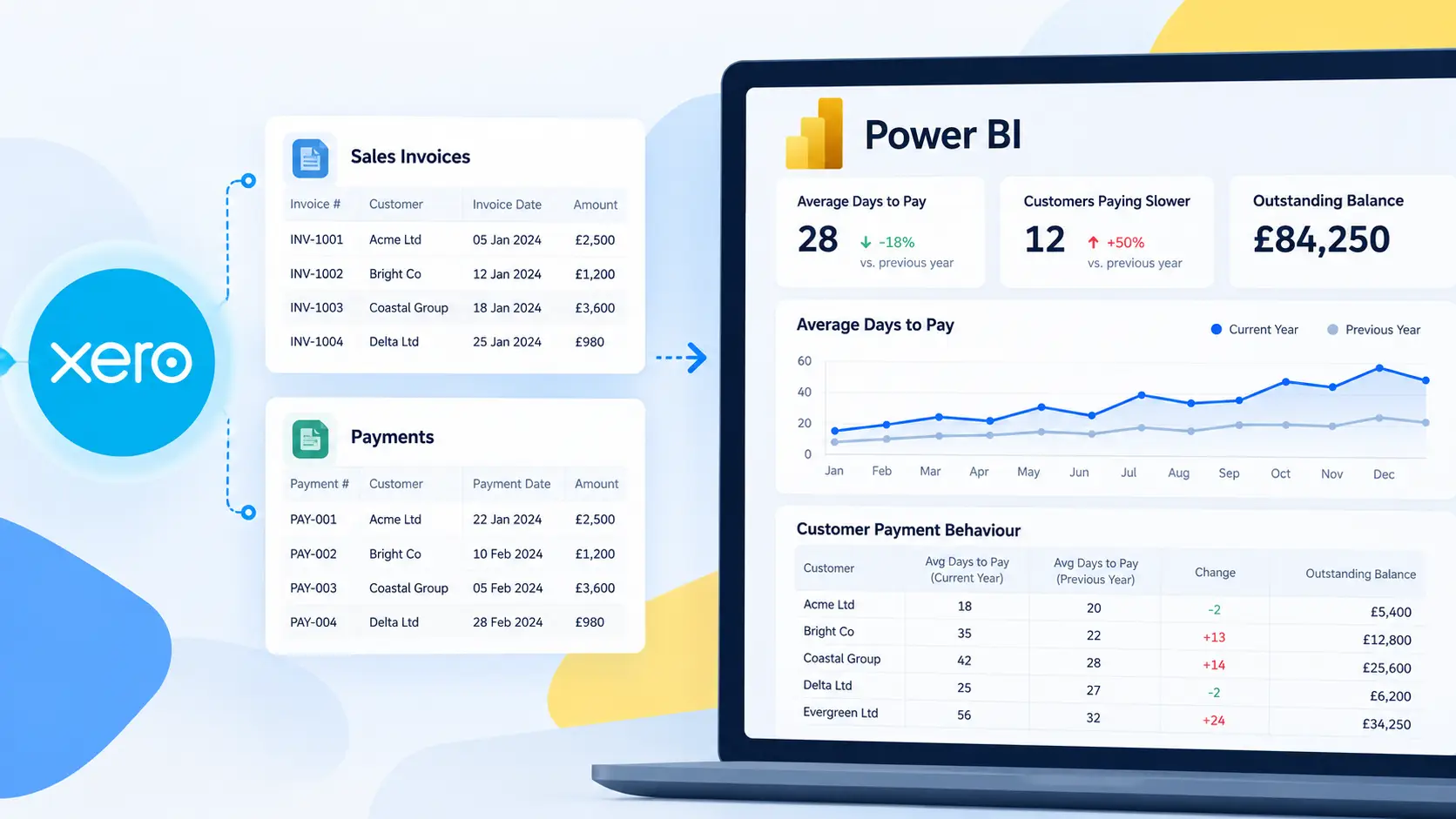

If you’re using Connectorly templates to report on Xero data in Microsoft Power BI, you’ve likely noticed the rich set of prebuilt measures included in the models. These DAX measures power the core KPIs in templates such as Balance Sheet, Profit & Loss, Sales KPIs, Budget vs Actual, and Customer analytics.
Rather than building calculations from scratch, Connectorly provides a comprehensive set of ready-to-use KPIs — saving you time and improving consistency across reports. This article walks through what these measures calculate and how they support financial and operational reporting.
To understand how these measures fit into a complete financial reporting solution, see our guide to Xero reporting in Power BI, which covers the underlying data, modelling approach, dashboards and common reporting scenarios.
📌 Why Prebuilt Measures Matter
When analysing financial data from Xero in Power BI, you need measures that correctly handle time-based calculations, currency conversions, customer behaviour, and performance indicators. The prebuilt measures do exactly that:
- Standardise calculations across reports
- Eliminate common modelling errors
- Enable faster insight into key business drivers
- Support metrics like churn, MRR, revenue, budget variance, and profitability
All of these are included out of the box in Connectorly templates.
🔍 Overview of Major Measure Categories
Financial Measures
These help you understand the core financial health of the business — including revenue, expenses, profit, and balance sheet calculations.
- Revenue, Expenses, Net Profit & Net Profit %
- Gross Profit & Gross Profit %
- Budget Variance and Budget %
- Running balances and period-to-date totals
Time-Series Measures
These provide cumulative or time-based insights:
- Running totals (e.g., Balance Amount RT, Journals Net Amount RC RT)
- Fiscal year and month filters
- Period comparison measures (This Month vs Last Year)
Customer & SaaS Measures
Critical for subscription-based or customer-centric reporting:
- Customer churn (annualised)
- Customer Lifetime & ARPU
- MRR (Monthly Recurring Revenue)
- LTV / CAC (Lifetime Value vs Acquisition Cost)
Geographical and Segment Metrics
These help break down performance by region or grouping:
- % Sales by Country (revenue share)
Quote & Pipeline Insights
For sales pipeline analysis:
- New Business Quotes %
- Won % (quote conversion by value)
🧠 What’s Inside the Table
The core of this guide — and the help article — is a four-column reference table containing:
Table Name | Measure Name | DAX Formula | Description |
Each entry includes the exact DAX syntax used in the template and a human-friendly explanation of what it calculates and why it matters in reporting.
| Table name | Measure name | DAX Formula | Description |
| Xero bank transactions | Balance Amount (Currency) RT | Balance Amount (Currency) RT = CALCULATE(sum(‘xero bank_transactions'[Amount (Currency)]),filter(all(‘xero dates’), ‘xero dates'[Date] <= max(‘xero dates'[Date]))) | This measure calculates a running total (balance) of bank transaction amounts in transaction currency. It removes existing date filters and then sums all transactions up to the current date in the visual. As a result, it shows the bank balance as of each date, rather than just the activity on that day. |
| Xero bank transactions | Balance Amount (RC) RT | Balance Amount (RC) RT = CALCULATE(sum(‘xero bank_transactions'[Amount (RC)]),filter(all(‘xero dates’), ‘xero dates'[Date] <= max(‘xero dates'[Date]))) | This measure calculates a running balance in reporting currency (RC) based on bank transactions. It ignores existing date filters and sums all transaction amounts up to the current date in the visual. The result shows the bank balance as of each date, expressed in the selected reporting currency. |
| Xero bank transactions | Balance Amount RT | Balance Amount RT = CALCULATE(sum(‘xero bank_transactions'[Amount]),filter(all(‘xero dates’), ‘xero dates'[Date] <= max(‘xero dates'[Date]))) | This measure calculates a running balance using the raw bank transaction amount. It removes existing date filters and sums all transactions up to the current date in the visual. The result shows the bank balance as of each date, using the original transaction amount. |
| Xero became customer | Customer Acquisition Cost in Period | Customer Acquisition Cost in Period = ‘xero journals'[Marketing Spend (RC)] / ‘xero contacts'[Customers Won] | This measure calculates Customer Acquisition Cost (CAC) for the current filter context by dividing Marketing Spend (Reporting Currency) by the number of Customers Won. It returns the average acquisition cost per customer for the selected period (based on the report’s date and other filters). |
| Xero became customer | LTV / CAC | LTV / CAC = ‘xero invoices'[Customer LTV] / ‘xero became customer'[Customer Acquisition Cost in Period] | This measure calculates the LTV / CAC ratio by dividing Customer Lifetime Value (LTV) by Customer Acquisition Cost (CAC). It shows how much lifetime revenue a customer generates relative to the cost of acquiring them, within the current filter context. |
| Xero budgets | Budget Variance (RC) | Budget Variance (RC) = sum(‘xero journals'[Net Amount (RC)]) – sum(‘xero budgets'[Net Amount (RC)]) | This measure calculates the budget variance in reporting currency (RC) by subtracting the budgeted amount from the actual net amount. A positive result indicates actuals above budget, while a negative result indicates underperformance versus budget for the selected period. |
| Xero budgets | Budget Variance % | Budget Variance % = (sum(‘xero journals'[Net Amount (RC)]) – sum(‘xero budgets'[Net Amount (RC)])) / sum(‘xero budgets'[Net Amount (RC)]) | This measure calculates the budget variance percentage by comparing actual net amounts to the budgeted amounts in reporting currency. It expresses the variance as a percentage of the budget, showing how far actual performance is above or below budget for the selected period. |
| Xero budgets | Budget Variance Colour | Budget Variance Colour = “RED” | This measure returns a constant value of “RED”, typically used to control conditional formatting in visuals. It allows report designers to apply a consistent colour when a specific formatting rule is required. |
| Xero budgets | Budget Variance Is Good | Budget Variance Is Good = (sumx(filter(‘xero journals’, RELATED(‘xero accounts'[Class]) = “REVENUE”), ‘xero journals'[Net Amount (RC)]) – sumx(filter(‘xero budgets’, RELATED(‘xero accounts'[Class]) = “REVENUE”), ‘xero budgets'[Net Amount (RC)])) + (sumx(filter(‘xero journals’, RELATED(‘xero accounts'[Class]) = “EXPENSE”), ‘xero journals'[Net Amount (RC)]) – sumx(filter(‘xero budgets’, RELATED(‘xero accounts'[Class]) = “EXPENSE”), ‘xero budgets'[Net Amount (RC)])) | This measure calculates the overall budget variance by adding revenue variance (actual revenue minus budgeted revenue) and expense variance (actual expenses minus budgeted expenses), using the account Class to split rows into REVENUE and EXPENSE. It’s intended to produce a single “is performance good?” style variance figure for the selected period by combining both sides of the P&L. |
| Xero budgets | Budgeted FY Revenue | Budgeted FY Revenue = VAR this_fy_start = calculate(min(‘xero dates'[Fiscal Year Start]), FILTER(ALL(‘xero dates’), ‘xero dates'[Date] = TODAY())) return revenue_in_period |
This measure returns the total budgeted revenue (RC) for the current fiscal year, based on the fiscal year start/end dates that contain TODAY(). It filters the budgets table to Revenue-class accounts and sums budget amounts where the budget date falls between the fiscal year start and end. |
| Xero budgets | Budgeted FY YTD Revenue | Budgeted FY YTD Revenue = RETURN budgeted_revenue_in_period |
This measure calculates year-to-date (YTD) budgeted revenue in reporting currency (RC) from the start of the current fiscal year up to TODAY(). It filters the budgets table to Revenue accounts and sums budget amounts where the budget date falls between the fiscal year start and today. |
| Xero budgets | Budgeted Revenue | Budgeted Revenue = calculate(SUM(‘xero budgets'[Net Amount (RC)]), FILTER (‘xero accounts’, ‘xero accounts'[Class] = “Revenue”)) | This measure calculates the total budgeted revenue in reporting currency (RC). It sums budget amounts from the budgets table, filtered to Revenue-class accounts, within the current report context. |
| Xero budgets | Budgets Net Amount (RC) ABS | Budgets Net Amount (RC) ABS = (CALCULATE(sum(‘xero budgets'[Net Amount (RC)]),KEEPFILTERS(‘xero accounts'[Class] = “Expense”)) * -1) + (CALCULATE(sum(‘xero budgets'[Net Amount (RC)]),KEEPFILTERS(‘xero accounts'[Class] = “Revenue”))) | This measure returns a budget total where expenses are converted to positive values (by multiplying Expense budgets by -1) while Revenue budgets remain unchanged. It applies the account Class filters (Expense vs Revenue) using KEEPFILTERS, then combines the two results into a single “absolute” budget amount in reporting currency (RC) for the current filter context. |
| Xero budgets | This Month Budget Revenue | This Month Budget Revenue = RETURN revenue_in_period |
This measure returns the budgeted revenue (RC) for the current fiscal month, using the fiscal month start and end dates that contain TODAY(). It filters the budgets table to Revenue accounts and sums budget amounts where the budget date falls between the current fiscal month start and end. |
| Xero contacts | Customer Churn | Customer Churn = // Change this value to reflect the longest period you would expect to not trade with a customer VAR todays_latest_customer_loss_date = EOMONTH(end_of_this_month,-consider_customer_lost_after_months-1)+1 VAR latest_customer_loss_date = IF(last_date_in_period > todays_latest_customer_loss_date, todays_latest_customer_loss_date, EOMONTH(last_date_in_period,-consider_customer_lost_after_months)) VAR latest_date_to_consider = IF(last_date_in_period >= end_of_this_month, end_of_this_month, last_date_in_period) //VAR customers_lost_in_period = COUNTX(FILTER(ALL(‘xero contacts’), ‘xero contacts'[Last Sales Activity] <= latest_customer_loss_date && ‘xero contacts'[Last Sales Activity] >= earliest_customer_loss_date), ‘xero contacts'[Contact Name]) VAR new_customers_at_period_start_rt = CALCULATE(COUNTROWS(‘xero contacts’), ALL(), FILTER(ALL(‘xero contacts’), ‘xero contacts'[Became Customer] <= end_of_previous_period && ‘xero contacts'[Became Customer] >= beginning_of_time)) VAR net_customers_at_period_start = new_customers_at_period_start_rt – customers_lost_at_period_start_rt VAR churn = customers_lost_in_period / net_customers_at_period_start VAR annual_churn = 12/months_in_period * churn RETURN annual_churn |
This measure calculates annualised customer churn by identifying customers “lost” in the selected period (based on Last Sales Activity) and dividing by the net customers at the start of the period. A customer is treated as lost only after a configurable inactivity window (Customer lost after months in Report Settings), and the result is scaled to an annual rate based on the number of months in the period. |
| Xero contacts | Customer Lifetime | Customer Lifetime = VAR lifetime_in_months = 1/[Customer Churn] * 12 RETURN lifetime_in_months |
This measure estimates customer lifetime in months by inverting the annualised Customer Churn rate. It assumes a stable churn rate and calculates how long, on average, a customer is expected to remain active. |
| Xero contacts | Customers | Customers = [Customers Won RT] – [Customers Lost RT] | This measure calculates the net number of customers by subtracting Customers Lost (running total) from Customers Won (running total). It represents the current active customer count within the selected filter context. |
| Xero contacts | Customers Active | Customers Active = VAR earliest_date = EOMONTH(min(‘xero dates'[Date]),-1)+1 VAR new_customers_in_period = COUNTX(FILTER(ALL(‘xero contacts’), ‘xero contacts'[Became Customer] <= latest_date && ‘xero contacts'[Became Customer] >= earliest_date), ‘xero contacts'[Contact Name]) VAR customers_in_period = CALCULATE(DISTINCTCOUNT(‘xero invoices'[Contact Name]), RETURN customers_in_period |
This measure returns the number of active customers in the selected period by counting the distinct invoice contact names that have Revenue invoices dated within the period. It excludes invoices with Status = “FORECAST”, so only customers with actual (non-forecast) revenue activity are counted. |
| Xero contacts | Customers Lost | Customers Lost = // Change this value to reflect the longest period you would expect to not trade with a customer VAR todays_latest_customer_loss_date = EOMONTH(end_of_this_month,-consider_customer_lost_after_months-1)+1 VAR latest_customer_loss_date = IF(last_date_in_period > todays_latest_customer_loss_date, todays_latest_customer_loss_date, EOMONTH(last_date_in_period,-consider_customer_lost_after_months)) VAR latest_date_to_consider = IF(last_date_in_period >= end_of_this_month, end_of_this_month, last_date_in_period) VAR months_in_period = DATEDIFF(earliest_date_to_consider, latest_date_to_consider,MONTH) VAR new_customers_in_period = COUNTX(FILTER(ALL(‘xero contacts’), ‘xero contacts'[Became Customer] <= last_date_in_period && ‘xero contacts'[Became Customer] >= first_date_in_period), ‘xero contacts'[Contact Name]) VAR new_customers_in_period_rt = COUNTX(FILTER(ALL(‘xero contacts’), ‘xero contacts'[Became Customer] <= last_date_in_period && ‘xero contacts'[Became Customer] >= beginning_of_time), ‘xero contacts'[Contact Name]) VAR customers_active_in_period = CALCULATE(DISTINCTCOUNT(‘xero invoices'[Contact Name]), VAR customers_lost_in_period = CALCULATE(COUNTROWS(‘xero contacts’), ALL(), FILTER(ALL(‘xero contacts’), ‘xero contacts'[Last Sales Activity] < latest_customer_loss_date && ‘xero contacts'[Last Sales Activity] >= earliest_customer_loss_date)) VAR customers_lost_in_period_rt = CALCULATE(COUNTROWS(‘xero contacts’), ALL(), FILTER(ALL(‘xero contacts’), ‘xero contacts'[Last Sales Activity] < latest_customer_loss_date && ‘xero contacts'[Last Sales Activity] >= beginning_of_time)) RETURN customers_lost_in_period |
This measure counts customers lost in the selected period by checking contacts whose Last Sales Activity falls within a calculated “loss window”. The loss window is controlled by Customer lost after months (Report Settings), meaning customers are only treated as lost after being inactive for that many months, and the calculation is capped to avoid counting future periods. |
| Xero contacts | Customers Lost RT | Customers Lost RT = // Change this value to reflect the longest period you would expect to not trade with a customer VAR todays_latest_customer_loss_date = EOMONTH(end_of_this_month,-consider_customer_lost_after_months-1)+1 VAR latest_customer_loss_date = IF(last_date_in_period > todays_latest_customer_loss_date, todays_latest_customer_loss_date, EOMONTH(last_date_in_period,-consider_customer_lost_after_months)) VAR latest_date_to_consider = IF(last_date_in_period >= end_of_this_month, end_of_this_month, last_date_in_period) VAR months_in_period = DATEDIFF(earliest_date_to_consider, latest_date_to_consider,MONTH) VAR new_customers_in_period = COUNTX(FILTER(ALL(‘xero contacts’), ‘xero contacts'[Became Customer] <= last_date_in_period && ‘xero contacts'[Became Customer] >= first_date_in_period), ‘xero contacts'[Contact Name]) VAR new_customers_in_period_rt = COUNTX(FILTER(ALL(‘xero contacts’), ‘xero contacts'[Became Customer] <= last_date_in_period && ‘xero contacts'[Became Customer] >= beginning_of_time), ‘xero contacts'[Contact Name]) VAR customers_active_in_period = CALCULATE(DISTINCTCOUNT(‘xero invoices'[Contact Name]), VAR customers_lost_in_period = CALCULATE(COUNTROWS(‘xero contacts’), ALL(), FILTER(ALL(‘xero contacts’), ‘xero contacts'[Last Sales Activity] < latest_customer_loss_date && ‘xero contacts'[Last Sales Activity] >= earliest_customer_loss_date)) VAR customers_lost_in_period_rt = CALCULATE(COUNTROWS(‘xero contacts’), ALL(), FILTER(ALL(‘xero contacts’), ‘xero contacts'[Last Sales Activity] < latest_customer_loss_date && ‘xero contacts'[Last Sales Activity] >= beginning_of_time)) RETURN customers_lost_in_period_rt |
This measure calculates the running total of customers lost up to the selected period by counting contacts whose Last Sales Activity indicates they are lost, based on the inactivity threshold (Customer lost after months) in Report Settings. It accumulates lost customers from the beginning of time to the current period, and caps the calculation to avoid counting future periods. |
| Xero contacts | Customers Won | Customers Won = VAR earliest_date = EOMONTH(min(‘xero dates'[Date]),-1)+1 RETURN new_customers_in_period |
This measure counts the number of customers won in the selected period based on the Became Customer date. It includes all contacts whose customer start date falls between the start and end of the current reporting period. |
| Xero contacts | Customers Won RT | Customers Won RT = VAR earliest_date = date(1900,01,01) VAR new_customers_in_period = CALCULATE(COUNTROWS(‘xero contacts’), ALL(), FILTER(ALL(‘xero contacts’), ‘xero contacts'[Became Customer] <= latest_date && ‘xero contacts'[Became Customer] >= earliest_date)) RETURN new_customers_in_period |
This measure calculates the running total of customers won by counting all contacts whose Became Customer date is between 01/01/1900 and the end of the currently selected month. It ignores other filters on the contacts table, so it returns the cumulative number of customers acquired up to that point in time. |
| Xero dates | Balance Sheet Report Title | Balance Sheet Report Title = “| Balance Sheet ” & FIRSTNONBLANK(‘xero dates'[Fiscal Year Long Name],’xero dates'[Fiscal Year Long Name]) | This measure generates a dynamic Balance Sheet title by appending the current fiscal year name to the text “| Balance Sheet”. It uses the first available fiscal year value in the current filter context, allowing the report title to update automatically based on the selected period. |
| Xero dates | Profit and Loss Report Title | Profit and Loss Report Title = “| Profit and Loss ” & FIRSTNONBLANK(‘xero dates'[Fiscal Year Long Name],’xero dates'[Fiscal Year Long Name]) | This measure generates a dynamic Profit and Loss report title by appending the current fiscal year name to the text “| Profit and Loss”. It automatically updates based on the fiscal year in the current filter context. |
| Xero invoices | % Sales by Country | % Sales by Country = VAR __BASELINE_VALUE = calculate(SUM(‘xero invoices'[Net Amount (RC)]), all(‘xero contacts'[Billing Address Country])) VAR __VALUE_TO_COMPARE = SUM(‘xero invoices'[Net Amount (RC)]) RETURN IF( NOT ISBLANK(__VALUE_TO_COMPARE), DIVIDE(__VALUE_TO_COMPARE, __BASELINE_VALUE) ) |
This measure calculates the percentage of total sales by country in reporting currency (RC). It divides the sales value for the current country by total sales across all countries, allowing you to see each country’s share of overall revenue. |
| Xero invoices | ARPU | ARPU = VAR beginning_of_time = Date(1900,1,1) VAR last_date_in_period = EOMONTH(max(‘xero dates'[Date]),0) VAR latest_date_a_year_ago = IF(last_date_in_period >= end_of_this_month, beginning_of_time, EOMONTH(max(‘xero dates'[Date]),-twelve_months)) VAR latest_date_two_years_ago = IF(last_date_in_period >= end_of_this_month, beginning_of_time, EOMONTH(max(‘xero dates'[Date]),-2 * twelve_months)) VAR latest_period_date_considered = IF(last_date_in_period >= end_of_this_month, end_of_this_month, last_date_in_period) // should be 12 or 0 depending on if the date context is in the past or future. VAR revenue_in_period = calculate(SUMX( VAR monthly_mrr_in_period = calculate(SUMX( // count the ‘xero invoices'[Customer Month] because we want unique month/customer combinations… // This will include customers who have left… VAR new_customers_in_period = COUNTX(FILTER(ALL(‘xero contacts’), ‘xero contacts'[Became Customer] <= last_date_in_period && ‘xero contacts'[Became Customer] >= first_date_in_period), ‘xero contacts'[Contact Name]) // Consider a customer lost if no sales after 12 months… (or in fact [Customer Considered Lost After Months]) VAR net_customers = new_customers_in_period_rt + customers_lost_in_period_rt // VAR ARPU = revenue_in_period / customers_active_in_period / months_in_period VAR average_spend_annualised = revenue_in_period / customers_active_in_period RETURN ARPU |
This measure calculates ARPU (Average Revenue Per User) by taking the total monthly revenue (RC) in the selected period and dividing it by the number of distinct customers with revenue invoices in that same period. It excludes FORECAST invoices, so ARPU reflects only actual billed revenue for the current filter context. |
| Xero invoices | Average Spend | Average Spend = VAR earliest_date = EOMONTH(min(‘xero dates'[Date]),-1)+1 VAR new_customers_in_period = CALCULATE(DISTINCTCOUNT(‘xero contacts'[Contact ID]), VAR customers_in_period = CALCULATE(DISTINCTCOUNT(‘xero invoices'[Contact Name]), RETURN revenue_in_period / customers_in_period |
This measure calculates average spend per customer by dividing total revenue (RC) in the selected period by the number of distinct customers with revenue invoices in that period. It reflects the average revenue generated per active customer for the current date context. |
| Xero invoices | Customer LTV | Customer LTV = ‘xero invoices'[ARPU] * ‘xero contacts'[Customer Lifetime] / 12 | This measure calculates Customer Lifetime Value (LTV) by multiplying ARPU by Customer Lifetime, then normalising it to a monthly basis. It estimates the total revenue a customer generates over their lifetime in the current filter context. |
| Xero invoices | Customer MRR | Customer MRR = VAR average_spend = ‘xero invoices'[Average Spend] VAR beginning_of_time = Date(1900,1,1) VAR last_date_in_period = EOMONTH(max(‘xero dates'[Date]),0) VAR latest_date_a_year_ago = IF(last_date_in_period >= end_of_this_month, beginning_of_time, EOMONTH(max(‘xero dates'[Date]),-twelve_months)) VAR latest_date_two_years_ago = IF(last_date_in_period >= end_of_this_month, beginning_of_time, EOMONTH(max(‘xero dates'[Date]),-2 * twelve_months)) VAR latest_period_date_considered = IF(last_date_in_period >= end_of_this_month, end_of_this_month, last_date_in_period) // should be 12 or 0 depending on if the date context is in the past or future. VAR revenue_in_period = calculate(SUMX( VAR monthly_mrr_in_period = calculate(SUMX( RELATEDTABLE(‘xero invoices’), [Net Amount (RC)]), // count the ‘xero invoices'[Customer Month] because we want unique month/customer combinations… // This will include customers who have left… VAR new_customers_in_period = COUNTX(FILTER(ALL(‘xero contacts’), ‘xero contacts'[Became Customer] <= last_date_in_period && ‘xero contacts'[Became Customer] >= first_date_in_period), ‘xero contacts'[Contact Name]) // Consider a customer lost if no sales after 12 months… (or in fact [Customer Considered Lost After Months]) VAR net_customers = new_customers_in_period_rt + customers_lost_in_period_rt // VAR ARPU = revenue_in_period / customers_active_in_period / months_in_period VAR average_spend_annualised = revenue_in_period / customers_active_in_period RETURN (monthly_mrr_in_period / if (monthly_mrr_customers_in_period = 0 , 1, monthly_mrr_customers_in_period)) |
This measure calculates Customer MRR (Monthly Recurring Revenue per customer) by dividing total monthly revenue (RC) in the selected period by the count of unique customer-month combinations. It excludes FORECAST invoices and uses a safe divide (defaults the divisor to 1 when zero) to avoid errors in periods with no customers. |
| Xero invoices | DSO | DSO = VAR outstanding_at_earliest_date = CALCULATE( VAR outstanding_at_latest_date = CALCULATE( VAR calculated_dso = ((outstanding_at_earliest_date + outstanding_at_latest_date) / 2) / invoicing_in_period * days_in_period RETURN |
This measure calculates DSO (Days Sales Outstanding) for the selected period by estimating average outstanding receivables and dividing by invoicing activity. It takes the average of outstanding invoice balances at the start and end of the period (for authorised/paid revenue invoices not yet fully paid), then scales by days in period to return the average collection time in days. |
| Xero invoices | Export Revenue (RC) | Export Revenue (RC) = CALCULATE(sum(‘xero invoices'[Net Amount (RC)]),filter(‘xero contacts’, ‘xero contacts'[Is Export] = True)) | This measure calculates export revenue in reporting currency (RC) by summing invoice net amounts for customers marked as Export. It filters invoices based on the Is Export flag on contacts, returning total export sales for the current report context. |
| Xero invoices | Export Revenue % | Export Revenue % = CALCULATE(sum(‘xero invoices'[Net Amount (RC)]),filter(‘xero contacts’, ‘xero contacts'[Is Export] = True)) / (sum(‘xero invoices'[Net Amount (RC)])) | This measure calculates the percentage of total revenue that comes from export customers. It divides export revenue (RC) by total revenue (RC), showing the share of sales generated from customers marked as Is Export = True. |
| Xero invoices | Months in Period | Months in Period = VAR earliest_date = EOMONTH(min(‘xero dates'[Date]),-1)+1 VAR months_in_period = DATEDIFF(earliest_date_not_in_future_month, latest_date_not_in_future_month,MONTH) + 1 RETURN months_in_period |
This measure calculates the number of months in the selected period, capped so it does not extend into future months. It counts full months between the period start and end (based on the date context), ensuring consistent results when future dates are included in the report. |
| Xero invoices | This Period Existing Business | This Period Existing Business = VAR earliest_date = EOMONTH(min(‘xero dates'[Date]),-1)+1 VAR new_customers_in_period = CALCULATE(DISTINCTCOUNT(‘xero invoices'[Contact Name]), VAR new_customer_revenue_in_period = calculate(SUM(‘xero invoices'[Net Amount (RC)]), FILTER(‘xero contacts’,’xero contacts'[Became Customer] >= earliest_date && ‘xero contacts'[Became Customer] <= latest_date )) VAR customers_in_period = CALCULATE(DISTINCTCOUNT(‘xero invoices'[Contact Name]), VAR existing_business_revenue_in_period = revenue_in_period – new_customer_revenue_in_period RETURN existing_business_revenue_in_period |
This measure calculates existing business revenue (RC) for the selected period by subtracting new customer revenue from total revenue. “New customers” are those whose Became Customer date falls within the period, so the result represents revenue generated from customers who were already customers before the period started. |
| Xero invoices | This Period MRR | This Period MRR = calculate(SUMX( FILTER(‘xero invoices’, RELATED(‘xero accounts'[Class]) = “Revenue”), [Net Amount (RC)]), filter(all(‘xero dates’), ‘xero dates'[Date] <=EOMONTH(max(‘xero dates'[Date]),0) && ‘xero dates'[Date] > EOMONTH(max(‘xero dates'[Date]),-1 )) ) |
This measure calculates MRR (RC) for the current month by summing revenue invoice amounts within the latest month in the current date context. It overrides the date filter to include only dates from the start of that month to the month end, returning monthly recurring revenue for that period. |
| Xero invoices | This Period New Business | This Period New Business = VAR earliest_date = EOMONTH(min(‘xero dates'[Date]),-1)+1 VAR new_customers_in_period = CALCULATE(DISTINCTCOUNT(‘xero invoices'[Contact Name]), VAR new_customer_revenue_in_period = calculate(SUM(‘xero invoices'[Net Amount (RC)]), FILTER(‘xero contacts’,’xero contacts'[Became Customer] >= earliest_date && ‘xero contacts'[Became Customer] <= latest_date )) VAR customers_in_period = CALCULATE(DISTINCTCOUNT(‘xero invoices'[Contact Name]), RETURN new_customer_revenue_in_period |
This measure calculates new business revenue (RC) for the selected period by summing invoice net amounts for customers whose Became Customer date falls within the period. It returns the revenue generated from newly acquired customers, based on the current date context. |
| Xero invoices | This Period New Business % | This Period New Business % = VAR earliest_date = EOMONTH(min(‘xero dates'[Date]),-1)+1 VAR new_customers_in_period = CALCULATE(DISTINCTCOUNT(‘xero invoices'[Contact Name]), VAR new_customer_revenue_in_period = calculate(SUM(‘xero invoices'[Net Amount (RC)]), FILTER(‘xero contacts’,’xero contacts'[Became Customer] >= earliest_date && ‘xero contacts'[Became Customer] <= latest_date )) VAR customers_in_period = CALCULATE(DISTINCTCOUNT(‘xero invoices'[Contact Name]), VAR existing_business_revenue_in_period = revenue_in_period – new_customer_revenue_in_period RETURN new_customer_revenue_in_period / revenue_in_period |
This measure calculates the percentage of revenue from new customers in the selected period by dividing new customer revenue (RC) by total revenue (RC). It treats customers as “new” when their Became Customer date falls within the period, and uses only authorised/paid revenue invoices for the total. |
| Xero journals | Direct Costs | Direct Costs = calculate(SUM(‘xero journals'[Net Amount (RC)]), FILTER (‘xero accounts’, ‘xero accounts'[Type] = “Directcosts”)) | This measure calculates direct costs in reporting currency (RC) by summing journal net amounts for accounts classified as Directcosts. It returns the total cost directly attributable to revenue generation for the current report context. |
| Xero journals | Expenses | Expenses = calculate(SUM(‘xero journals'[Net Amount (RC)]), FILTER (‘xero accounts’, ‘xero accounts'[Class] = “Expense”)) | This measure calculates total expenses in reporting currency (RC) by summing journal net amounts for accounts classified as Expense. It returns all operating expenses for the current report context. |
| Xero journals | FY Revenue | FY Revenue = RETURN revenue_in_period |
This measure calculates total revenue (RC) for the current fiscal year, using the fiscal year start and end dates that contain TODAY(). It filters journals to Revenue accounts and sums net amounts where the journal date falls within the current fiscal year. |
| Xero journals | FY YTD Revenue | FY YTD Revenue = RETURN revenue_in_period |
This measure calculates fiscal year-to-date (YTD) revenue in reporting currency (RC) from the start of the current fiscal year up to TODAY(). It filters journals to Revenue accounts and sums net amounts where the journal date falls between the fiscal year start and today. |
| Xero journals | Gross Profit | Gross Profit = [Revenue] + [Direct Costs] | This measure calculates Gross Profit by combining Revenue with Direct Costs. It represents profit after direct costs are applied, before operating expenses are taken into account. |
| Xero journals | Gross Profit % | Gross Profit % = [Gross Profit]/[Revenue] | This measure calculates Gross Profit % by dividing Gross Profit by Revenue. It shows the proportion of revenue retained after direct costs, expressed as a percentage. |
| Xero journals | Journals Net Amount (RC) ABS | Journals Net Amount (RC) ABS = (CALCULATE(sum(‘xero journals'[Net Amount (RC)]),KEEPFILTERS(‘xero accounts'[Class] = “Expense”)) * -1) + (CALCULATE(sum(‘xero journals'[Net Amount (RC)]),KEEPFILTERS(‘xero accounts'[Class] = “Revenue”))) | This measure returns a combined absolute value for journals, where Expense amounts are flipped to positive values and Revenue amounts remain positive. It applies account class filters using KEEPFILTERS and merges both results into a single absolute net amount in reporting currency (RC) for the current context. |
| Xero journals | Journals Net Amount (RC) RT | Journals Net Amount (RC) RT = CALCULATE(sum(‘xero journals'[Net Amount (RC)]),filter(all(‘xero dates’), ‘xero dates'[Date] <= max(‘xero dates'[Date]))) | This measure calculates a running total of journal net amounts in reporting currency (RC). It removes existing date filters and sums all journal amounts up to the current date in the visual, showing a cumulative value over time. |
| Xero journals | Marketing Spend (RC) | Marketing Spend (RC) = VAR earliest_date = EOMONTH(min(‘xero dates'[Date]),-1)+1 VAR marketing_spend = CALCULATE(sum(‘xero journals'[Net Amount (RC)]), RETURN -1 * marketing_spend |
This measure calculates marketing spend (RC) for the selected period by summing journal net amounts where the account name contains “Marketing”, excluding FORECAST INVOICE journals. The result is multiplied by -1 so marketing costs are shown as a positive spend value. |
| Xero journals | Net Profit | Net Profit = [Revenue] + [Expenses] | This measure calculates Net Profit by combining Revenue with Expenses. It represents the final profit or loss after all operating expenses are included. |
| Xero journals | Net Profit % | Net Profit % = [Net Profit]/[Revenue] | This measure calculates Net Profit % by dividing Net Profit by Revenue. It shows the proportion of revenue retained after all expenses, expressed as a percentage. |
| Xero journals | Previous FY Revenue | Previous FY Revenue = VAR previous_fy_start = EDATE(min(‘xero dates'[Fiscal Year Start]), -12) RETURN revenue_in_period |
This measure calculates total revenue (RC) for the previous fiscal year by shifting the current fiscal year start and end dates back 12 months. It then filters journals to Revenue accounts and sums net amounts where the journal date falls within that prior fiscal year period. |
| Xero journals | Previous FY TD Revenue | Previous FY TD Revenue = RETURN revenue_in_period |
This measure calculates previous fiscal year-to-date revenue (RC) by summing revenue journals from the start of the prior fiscal year up to the same date one year ago. It filters to Revenue accounts, providing a like-for-like YTD comparison against the current year. |
| Xero journals | Revenue | Revenue = calculate(SUM(‘xero journals'[Net Amount (RC)]), FILTER (‘xero accounts’, ‘xero accounts'[Class] = “Revenue”)) | This measure calculates total revenue in reporting currency (RC) by summing journal net amounts for accounts classified as Revenue. It returns overall revenue for the current report context. |
| Xero journals | This Month Revenue | This Month Revenue = VAR month_start = calculate(min(‘xero dates'[Fiscal Month Start]), FILTER(‘xero dates’, ‘xero dates'[Date] = TODAY())) RETURN revenue_in_period |
This measure calculates revenue (RC) for the current fiscal month, using the fiscal month start and end dates that contain TODAY(). It filters journals to Revenue accounts and sums net amounts where the journal date falls within that fiscal month. |
| Xero journals | This Month Revenue Last Year | This Month Revenue Last Year = VAR previous_fy_month_start = EDATE(calculate(min(‘xero dates'[Fiscal Month Start]), FILTER(‘xero dates’, ‘xero dates'[Date] = TODAY())), -12) RETURN revenue_in_period |
This measure calculates revenue (RC) for the same fiscal month last year by shifting the current fiscal month start and end dates back 12 months. It then sums revenue journal amounts within that prior-month period for the current report context. |
| Xero payments | Bank Amount (RC) RT | Bank Amount (RC) RT = CALCULATE(sum(‘xero payments'[Bank Amount (RC)]),filter(all(‘xero dates’), ‘xero dates'[Date] <= max(‘xero payments'[Payment Date]))) | This measure calculates a running total of bank payments in reporting currency (RC). It sums all payment amounts up to the latest payment date in the current context, showing a cumulative bank balance over time. |
| Xero quotes | This Period New Business Quotes % | This Period New Business Quotes % = VAR earliest_date = EOMONTH(min(‘xero dates'[Date]),-1)+1 VAR new_business_quotes_in_period = calculate(SUMX( VAR existing_business_quotes_in_period = calculate(SUMX( RETURN new_business_quotes_in_period / quotes_in_period |
This measure calculates the percentage of quote value from new business in the selected period. It divides the total Net Amount of quotes flagged Is New Business = TRUE by the total quote Net Amount for the same date range. |
| Xero quotes | Won % | Won % = VAR quoted_in_period = calculate(SUM(‘xero quotes'[Net Amount (RC)]), VAR won_in_period = calculate(SUMX( RELATEDTABLE(‘xero quotes’), [Net Amount (RC)]), VAR win_ratio = (won_in_period / quoted_in_period) return win_ratio |
This measure calculates the win rate by value for the selected period by dividing the total Won quote value (RC) by the total quoted value (RC). It uses quote dates within the current date context and counts only quotes with Simple Quote status = “Won” in the numerator. |
📌 How to Use This Guide
You can use this article to:
✅ Learn what each KPI means before adding it to your visuals
✅ Understand how DAX calculations work under the hood
✅ Customise or extend measures for your own reporting needs
✅ Train others on interpreting financial and customer metrics correctly
Conclusion
Connectorly’s prebuilt Power BI measures greatly simplify creating rich, accurate reports from Xero data. From fundamental financial metrics to advanced customer analytics, these measures are designed to help you extract actionable insights faster without reinventing core calculations.
Ready to apply these in your reports? Download one of the free Connectorly Power BI templates for Xero and start exploring your data with confidence.