
Easy Power BI Templates for HubSpot
Download our free, customisable, and ready-to-use Power BI templates.
No Coding Required – Connect with HubSpot to start a free trial and download.

Visualise Your HubSpot Data in Minutes!
Plug your HubSpot data into Microsoft Power BI and instantly bring your CRM, sales, pipeline, and customer performance data to life with fully customisable templates. Turn raw HubSpot records into clear, interactive insights with just a few clicks.
Power BI Templates include:
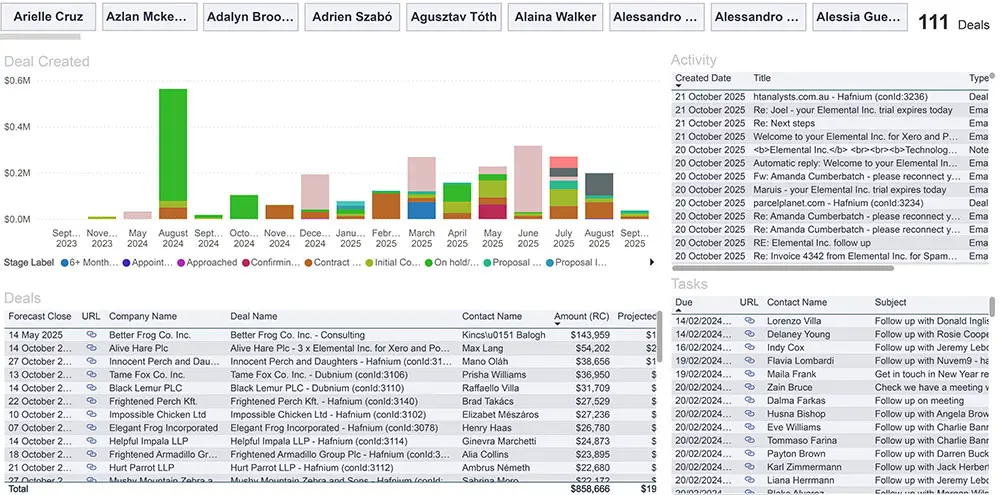
Forecast Close has past Template
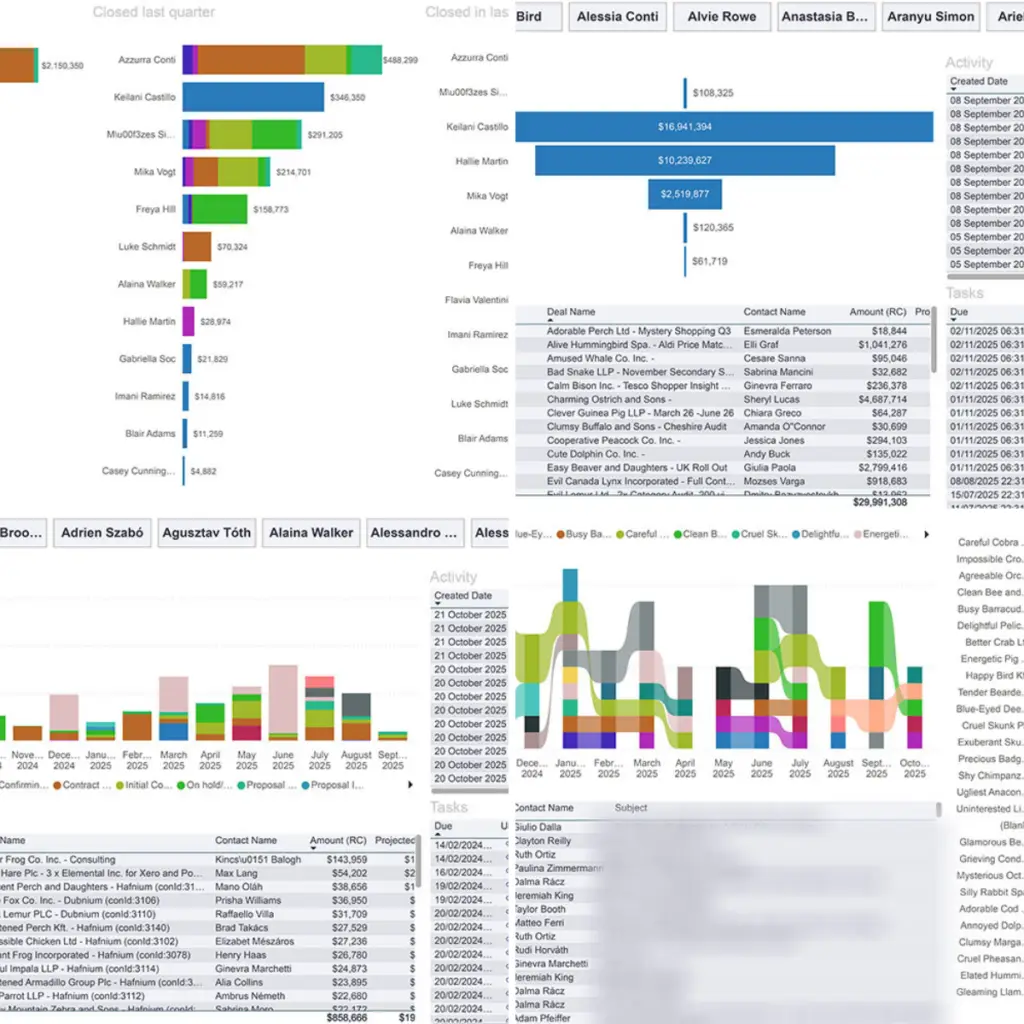
Turn historical deal data into accurate sales forecasts. Track expected close dates, monitor pipeline trends, and identify which opportunities are likely to close so you can plan revenue with confidence.
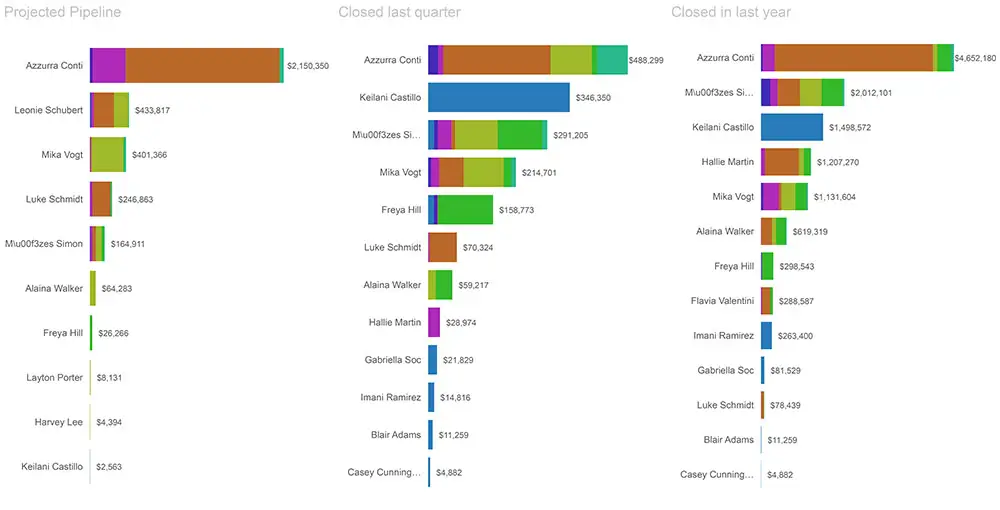
Leaderboard Template
Compare performance across your sales team at a glance. Track closed deals, revenue generated, and pipeline contribution by rep to identify top performers and spot opportunities to improve.
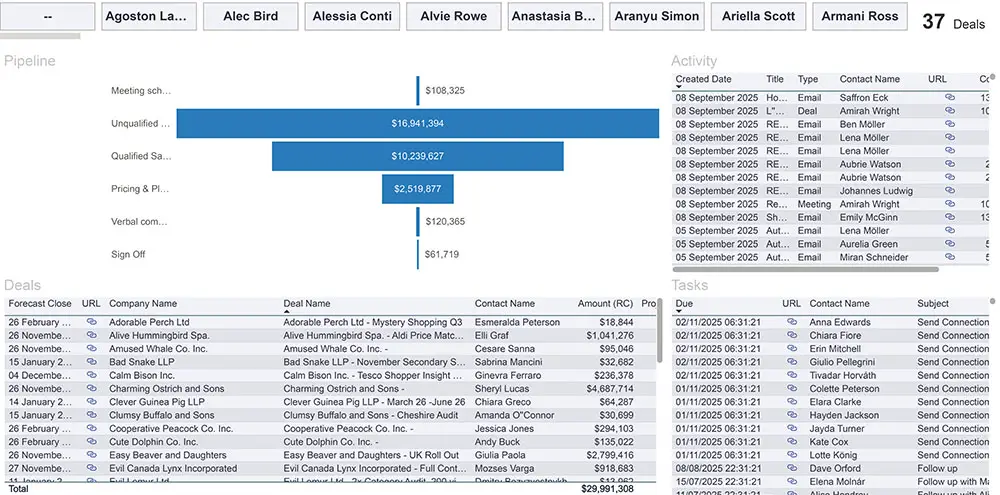
Pipeline Template
Get full visibility into your sales pipeline. Track deal stages, pipeline value, and conversion rates to understand where deals are progressing, stalling, or being lost.
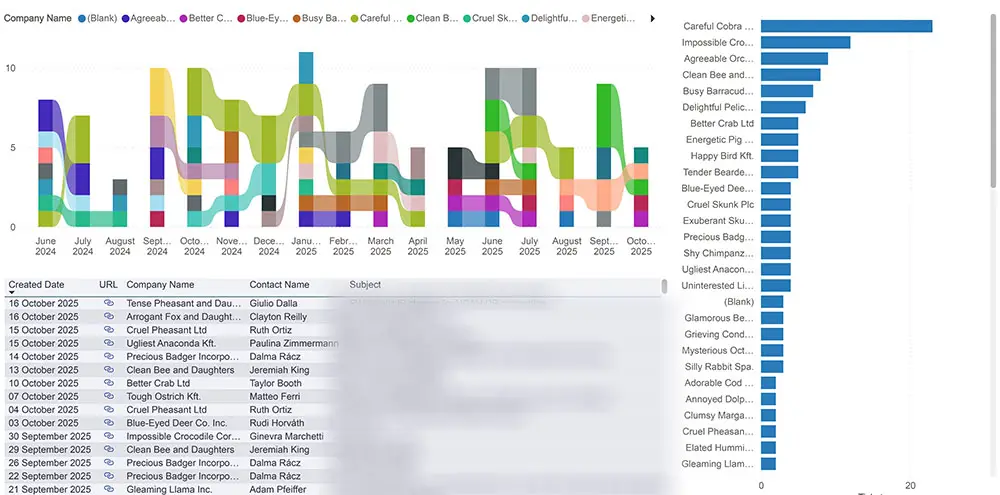
Ticket Template
Monitor customer support performance in real time. Track tickets, response times, workload, and resolution trends to ensure your team delivers a fast and consistent customer experience.
HubSpot All-In Template
For power users: bring all your HubSpot data into one combined dashboard. Analyse CRM, sales, pipeline, activity, and customer performance in a single view without switching between reports.
Why Use Connectorly Power BI Templates?
Bring clarity to your business data in minutes.
Connectorly’s fully customisable templates remove the manual setup and allow SMEs, sales teams, marketers, and consultants to unlock the full flexibility of Power BI using data connected directly from HubSpot.
Key Benefits:
- No-code setup — connect your HubSpot data in minutes
- Professional, pre-built dashboards
- Works with HubSpot CRM data
- Fully customisable visuals for your reporting needs
- Designed to scale with your business

Better Visibility into Your HubSpot CRM
Connectorly for HubSpot brings your CRM data into Power BI so you can report on sales, marketing, pipeline, activity, and customer performance in one place. Build dashboards that give your team the visibility they need to make faster, better decisions.
How It Works
Connect. Visualise. Grow.
- Start a Free Trial - Connect your HubSpot account securely.
- Select a Template - Choose the dashboard that fits your needs.
- Customise in Power BI - Modify visuals and metrics to match your goals.
- Share Results - Publish insights instantly across your team.

Real Results for Sales Professionals and BI Consultants
Win-Win
"Connectorly helped me turn a 12-hour integration job into 45 minutes of setup. My client was blown away, and I got paid for the referral. Win-win. "
Need Help?
Frequently Asked Questions
What are Connectorly Power BI Templates for HubSpot?
Connectorly Power BI Templates for HubSpot are ready-made report templates designed to help you turn your HubSpot CRM data into clear, interactive dashboards in Power BI. They give you a faster way to report on sales performance, pipeline, contacts, companies, deals, and customer metrics without having to build everything from scratch.
Who are these templates designed for?
These templates are built for sales teams, RevOps teams, consultants, business owners, and Power BI users who want faster access to meaningful HubSpot reporting. They’re especially useful for anyone who wants better visibility into CRM performance and less time spent building reports manually.
Do I need to know how to code or build dashboards in Power BI?
No. Connectorly’s templates are designed to be easy to use, with no coding required to get started. You can connect your HubSpot data and begin using prebuilt reports in Power BI Desktop straight away. If you want to customise your reporting further, you can also use the templates as a starting point for your own dashboards.
How do I connect HubSpot to Power BI with Connectorly?
Getting started is simple. First, create your Connectorly for HubSpot & Power BI connector and connect it to your HubSpot account. Then download your chosen Power BI template, open it in Power BI Desktop, and enter your Connectorly connection details. Once connected, your HubSpot data will populate the report automatically.
What’s included in the Connectorly Power BI templates?
Connectorly offers a range of templates to support different HubSpot reporting needs. These include sales pipeline, deal performance, sales KPIs, contacts, companies, activities, revenue forecasting, lead conversion, and customer growth reporting. There is also an all-in template for users who want a broader view of their HubSpot data in one Power BI report.
Can I use these templates for sales reporting in Power BI?
Yes. The templates are built to help you analyse HubSpot sales data in Power BI. You can report on deals, pipelines, revenue, owners, win rates, activity, forecasts, and performance trends in a more flexible and visual way.
Can I combine HubSpot data with other sources like Xero?
Yes. Connectorly makes it possible to combine HubSpot data with other business systems in Power BI, including platforms like Xero. This allows you to build broader reporting across sales, marketing, finance, CRM, projects, and other parts of the business in one dashboard.
Are there free Power BI templates available?
Yes. Connectorly’s Power BI templates are available free of charge, giving you a ready-made starting point for building reports with your HubSpot data in Power BI.
What do I need to run these templates (Power BI licenses)?
To use the templates, you’ll need a Windows computer with Power BI Desktop installed. Power BI Desktop is free to download. If you want to publish reports and share them with others, each viewer will need the appropriate Power BI licence. For the best experience, Connectorly recommends using a machine with strong performance, especially when working with larger datasets.