
Connectorly vs Xero Analytics (Powered by Syft): What’s the Difference for Xero Reporting?
Looking at Connectorly vs Xero Analytics powered by Syft? Learn how Xero’s built-in reporting compares with Power BI analytics for advanced financial dashboards.
Connectorly vs Zapier for Connecting Xero to Power BI: What’s the Difference?
Choosing between Connectorly and Zapier to connect Xero to Power BI? Learn the key differences between automation tools and reporting connectors, and which one is better for financial dashboards.
How to Connect Xero or HubSpot to Excel (Step-by-Step Guide for Accountants and Sales Teams)
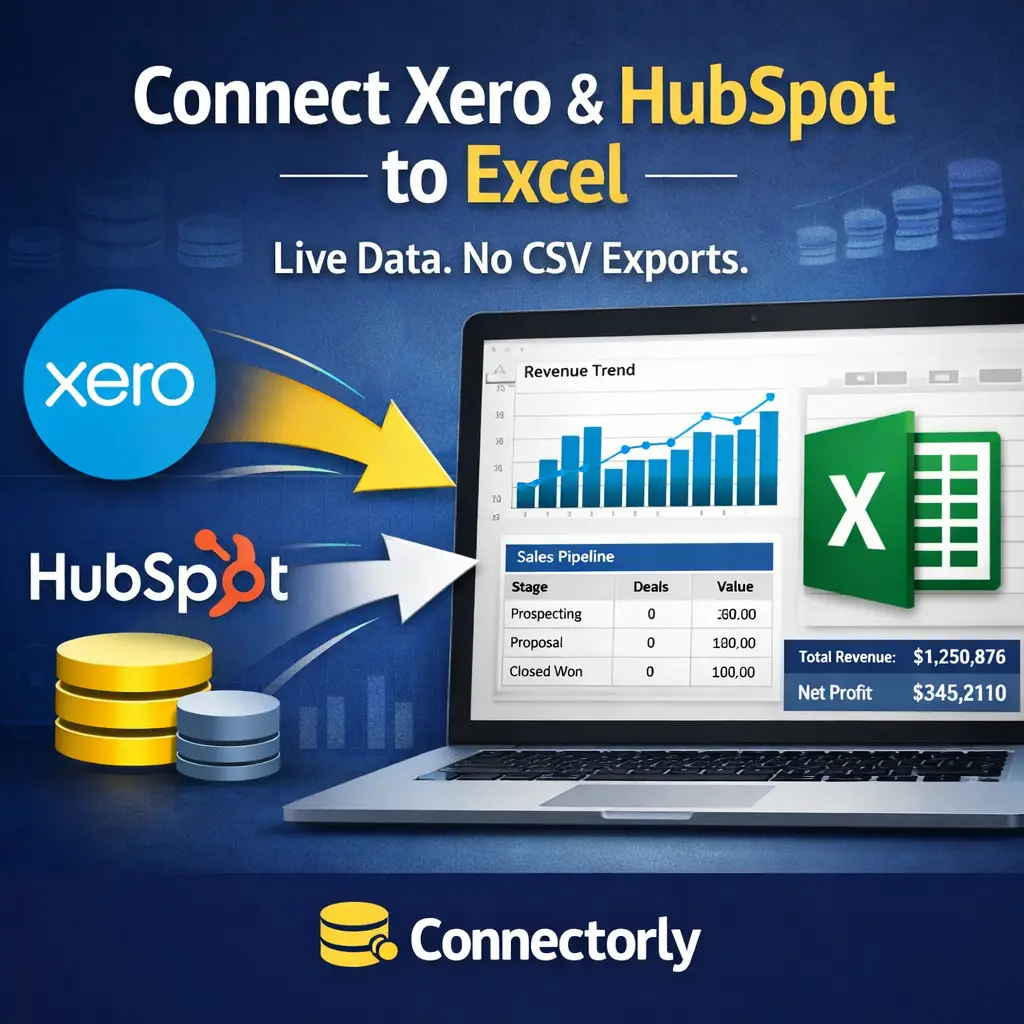
Looking for an easy way to connect Xero or HubSpot to Excel? This step-by-step guide shows accountants, CFOs, and sales managers how to use a PostgreSQL ODBC connection to pull live data into Excel—without manual CSV exports.
Connectorly vs Manual Excel Export from Xero: Which Is Better for Financial Reporting?

Is exporting from Xero to Excel still the best way to build financial reports? In this comparison, we break down manual Excel exports vs Connectorly for Power BI, covering consolidation, reporting currency, automation, and scalability — so you can choose the right approach for your finance team.
How to Split and Merge Fields in Power BI

Learn how to split and merge fields in Power BI using a real Xero tracking category example. This practical guide shows how to align combined fields like “Region – North” with Excel datasets where values are stored separately, so you can build accurate relationships and consolidated reports. Ideal for accountants and sales managers working with Xero, HubSpot, and Power BI.
Understanding Prebuilt Power BI Measures for Xero Reporting with Connectorly

Explore the key prebuilt DAX measures included in Connectorly’s free Power BI templates for Xero. This guide explains the calculation logic and business purpose behind essential financial, revenue, customer, and performance KPIs, helping you get more value from your data out of the box.
How to Create a Running Total and Top N Customers in Power BI with DAX

Learn how to create running totals and highlight top customers in Power BI using DAX. This step-by-step guide shows practical examples for finance and sales reporting, helping you turn raw data into clear, actionable insights.
How and Why to Create Apps in Power BI?

Power BI Apps offer a clean, consistent way to share reports across your organisation without exposing draft content or risking accidental changes. If you manage dashboards for finance, sales, or operations—especially using Xero or HubSpot data—Apps help ensure stakeholders always see accurate, curated insights. This guide explains why Apps matter and how to set them up properly.
How to Expand JSON Data in Power BI Desktop

Learn how to expand JSON fields in Power BI Desktop using HubSpot data. A practical guide with Connectorly for HubSpot & Power BI.
How to Fix the Power BI SharePoint SSL (HTTPS) Error and Connect Files Securely

Connecting Power BI to SharePoint files can sometimes trigger the dreaded “Use SSL (HTTPS)” OAuth 2.0 error — but the fix is simpler than you think. In this guide, Connectorly explains how to securely link your SharePoint files to Power BI, avoid common authentication issues, and ensure your reports refresh smoothly. Ideal for Power BI developers, accountants, and business leaders who want reliable, secure data connections without the headaches.
Working with Grouped Xero Organisations in Power BI
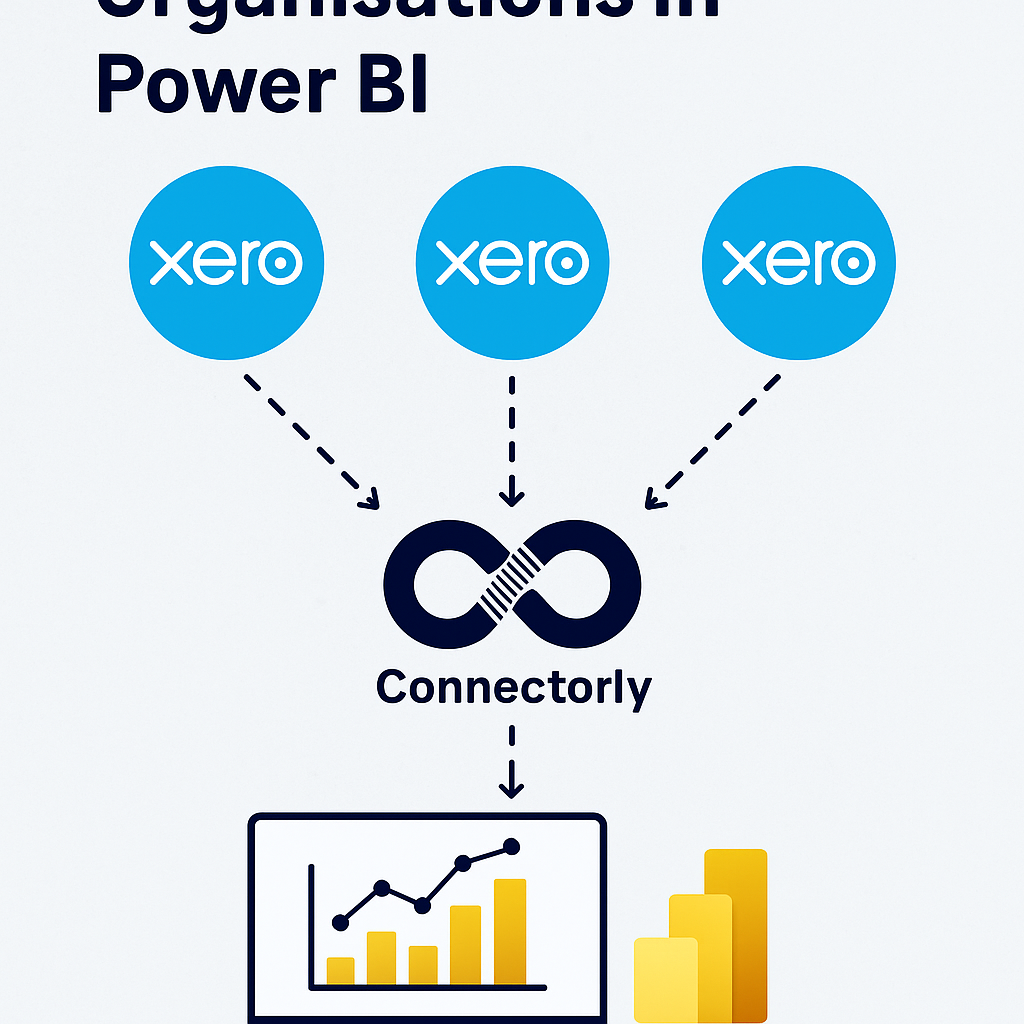
Easily consolidate data from multiple Xero organisations in Power BI with Connectorly. Group entities, align charts of accounts with Connectorly Views, and create accurate P&L, balance sheet, and cash flow reports. Save time, reduce errors, and combine Xero data with CRM or project tools for deeper insights.
How to Export Power BI to Excel (3 easy way)
New to Power BI and need your data in Excel? This step-by-step guide shows you three simple ways to export Power BI reports into Excel. Learn how to use CSV exports in Power BI Desktop, the powerful Analyze in Excel feature, and quick exports from visuals in Power BI Online. Perfect for beginners!
How to Connect Your HubSpot to Power BI and Get Better Insight on Your Sales
Unlock deeper insights into your sales performance by connecting HubSpot to Microsoft Power BI. In this guide, we show you the easiest way to integrate the two platforms, automate your data flow, and create interactive dashboards that help you track KPIs, identify trends, and make smarter business decisions.
5 Time-Saving Power BI Desktop Tips Every Beginner Should Know

Discover five essential Power BI Desktop tips designed for beginners to streamline tasks and enhance productivity. From quick multi-selection and data transformation techniques to efficient duplication of visuals, these practical strategies ensure your reporting process is both efficient and professional.
Understanding Unrealised and Realised Currency Gains, and Bank Revaluation

Currency fluctuations can have a major impact on your financials—but not all gains or losses are treated the same. In this article, we break down the difference between unrealised and realised currency gains, and explain how bank revaluation affects your accounting reports. Whether you’re managing international invoices or reconciling foreign currency accounts in Xero, this guide will help you make sense of the numbers.
Why are Xero merged contacts not updated on the invoice in Power BI?

When merging contacts in Xero, invoices visually update, but underlying data doesn’t refresh, causing discrepancies in integrations like Connectorly. This article explains why this happens and provides a straightforward solution to ensure invoices accurately reflect merged contacts in your reporting tools.
Simplifying Budget Management with Xero and Connectorly
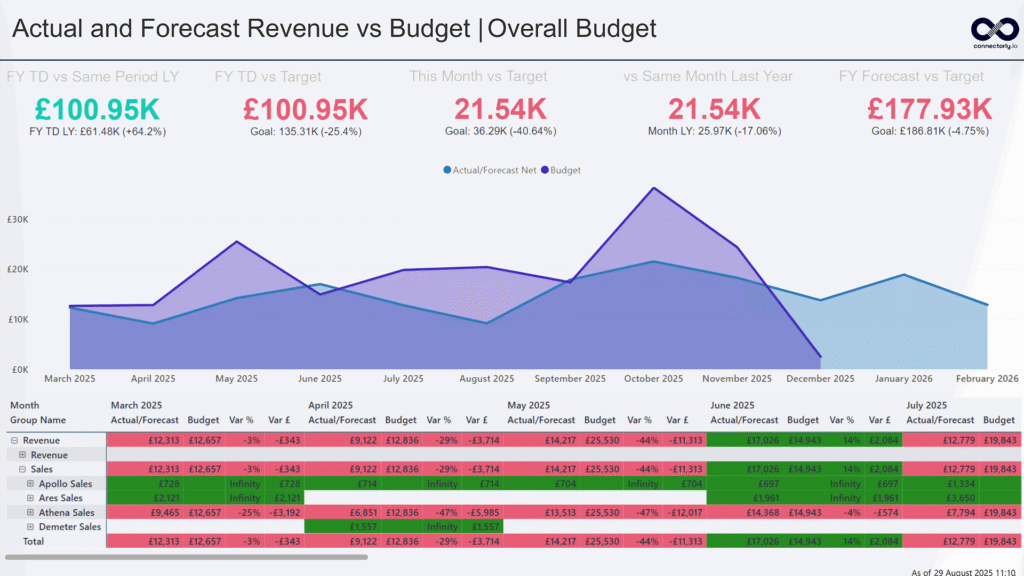
Managing budgets doesn’t have to be a manual mess. In this blog, we explore how Xero’s built-in budgeting tools combined with Connectorly’s seamless Power BI integration can help you simplify budget tracking, reduce errors, and create powerful, always up-to-date budget vs. actual reports — all without wrestling with spreadsheets.
Why Accurate Calendar Reporting Matters (And How Connectorly Makes It Easy)

Accurate calendar reporting is crucial for making sense of your financial and sales data—especially when different teams or regions work with different fiscal year definitions. In this post, we explore why flexible calendar options (like ISO weeks, fiscal years, and standard Gregorian calendars) matter, and how Connectorly makes it easy to apply the right structure to your Power BI reports—whether you’re using data from Xero, HubSpot, or both.
How to Configure Connectorly for Microsoft Dynamics 365 and Xero Integration

Learn how to configure Connectorly to seamlessly integrate Microsoft Dynamics 365 Sales with Xero. This step-by-step guide covers essential setup instructions, key configuration options, and best practices to ensure accurate data synchronisation—helping finance and operations teams streamline invoicing, contact management, and reporting across platforms.
🔍 How Connectorly Generates Forecast Data from Xero
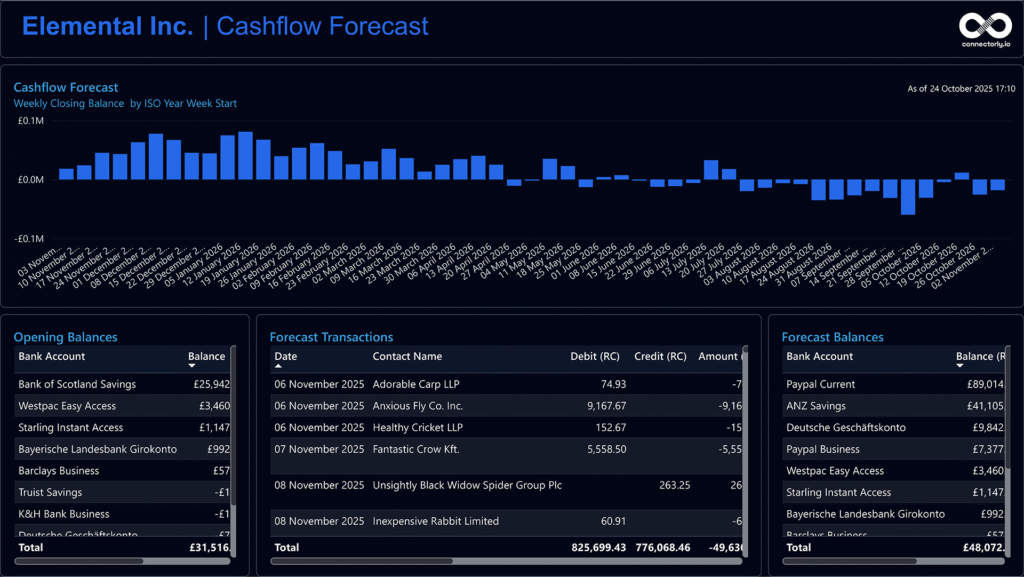
Learn how Connectorly builds accurate cash flow forecasts from your Xero data by leveraging repeating invoices and bills, estimating future payments based on contact behavior, and generating forward-looking bank transactions—all designed to power dynamic, real-time insights in Power BI.
How To Connect Xero to Power BI Desktop and Start Reporting in Minutes

Discover how to connect Xero to Power BI Desktop in just a few minutes and start creating powerful, real-time financial reports. This step-by-step guide walks you through the setup process, highlights common pitfalls to avoid, and shows you how to unlock actionable insights from your Xero data—no coding required. Perfect for finance teams and business owners looking to make smarter, data-driven decisions.
How To Manage Credentials and Automatic Refresh in Power BI Online

Keeping your Power BI reports current doesn’t have to be a struggle. This guide walks you through how to securely manage data source credentials and set up automatic refreshes in Power BI Online—so your insights are always accurate, timely, and stress-free.
How to update datasource settings in Microsoft Power BI desktop

https://youtu.be/20N8293ffL4 Managing your data source credentials in Power BI is crucial for maintaining secure and accurate data connections. In our latest video tutorial, we guide you through the process of updating your data source credentials in Power BI, ensuring your reports remain reliable and up-to-date. Why Update Data Source Credentials in Power BI? Power BI […]
How to Change the Currency Symbol in Power BI

Learn how to easily change the currency symbol in Power BI with our simple tutorial. Enhance financial reporting accuracy using Connectorly integrations for Xero, HubSpot, Microsoft 365, Datto RMM, and access our free templates.