
Simplifying Budget Management with Xero and Connectorly
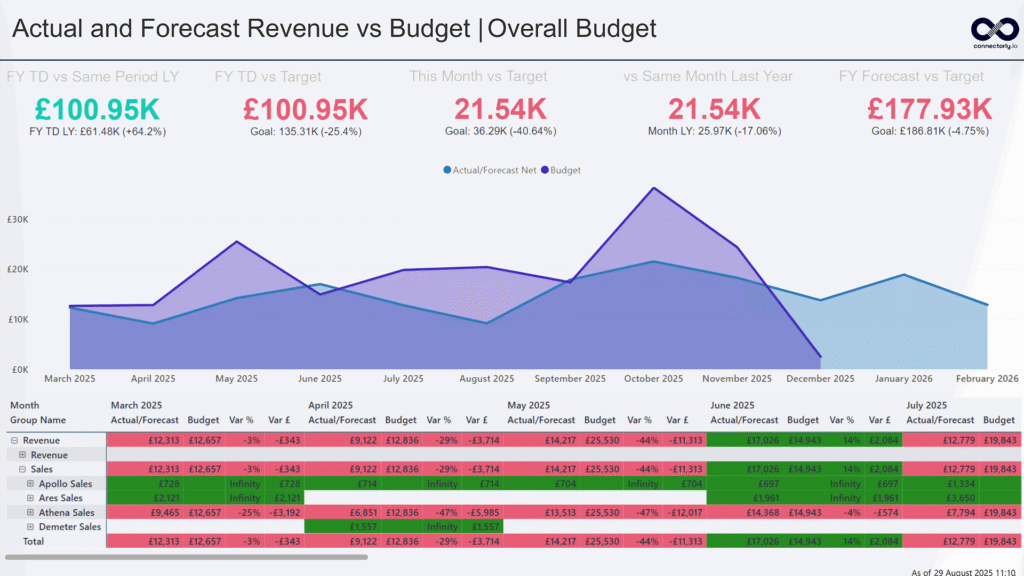
Managing budgets doesn’t have to be a manual mess. In this blog, we explore how Xero’s built-in budgeting tools combined with Connectorly’s seamless Power BI integration can help you simplify budget tracking, reduce errors, and create powerful, always up-to-date budget vs. actual reports — all without wrestling with spreadsheets.
🔍 How Connectorly Generates Forecast Data from Xero
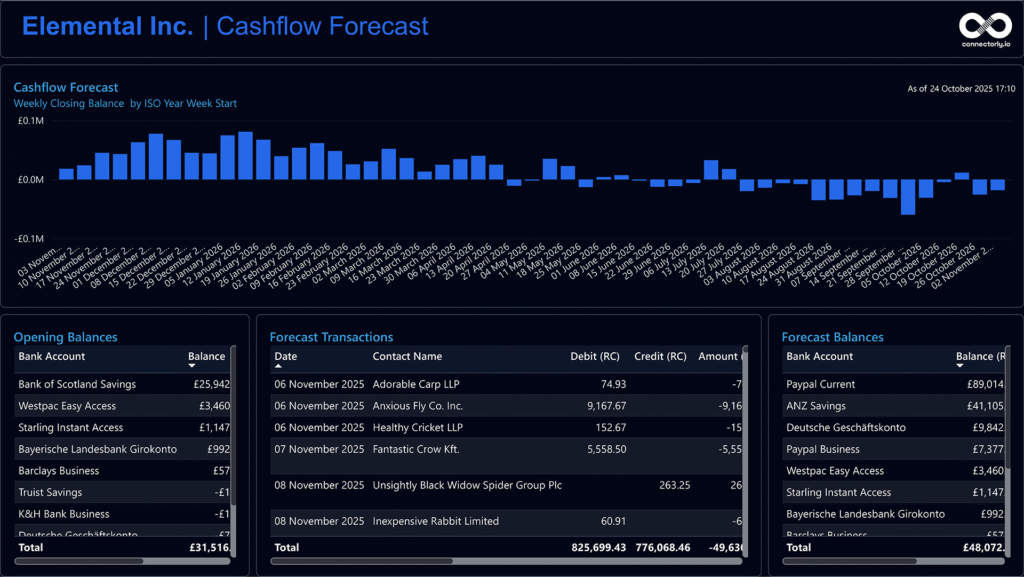
Learn how Connectorly builds accurate cash flow forecasts from your Xero data by leveraging repeating invoices and bills, estimating future payments based on contact behavior, and generating forward-looking bank transactions—all designed to power dynamic, real-time insights in Power BI.
How to Change the Currency Symbol in Power BI

Learn how to easily change the currency symbol in Power BI with our simple tutorial. Enhance financial reporting accuracy using Connectorly integrations for Xero, HubSpot, Microsoft 365, Datto RMM, and access our free templates.