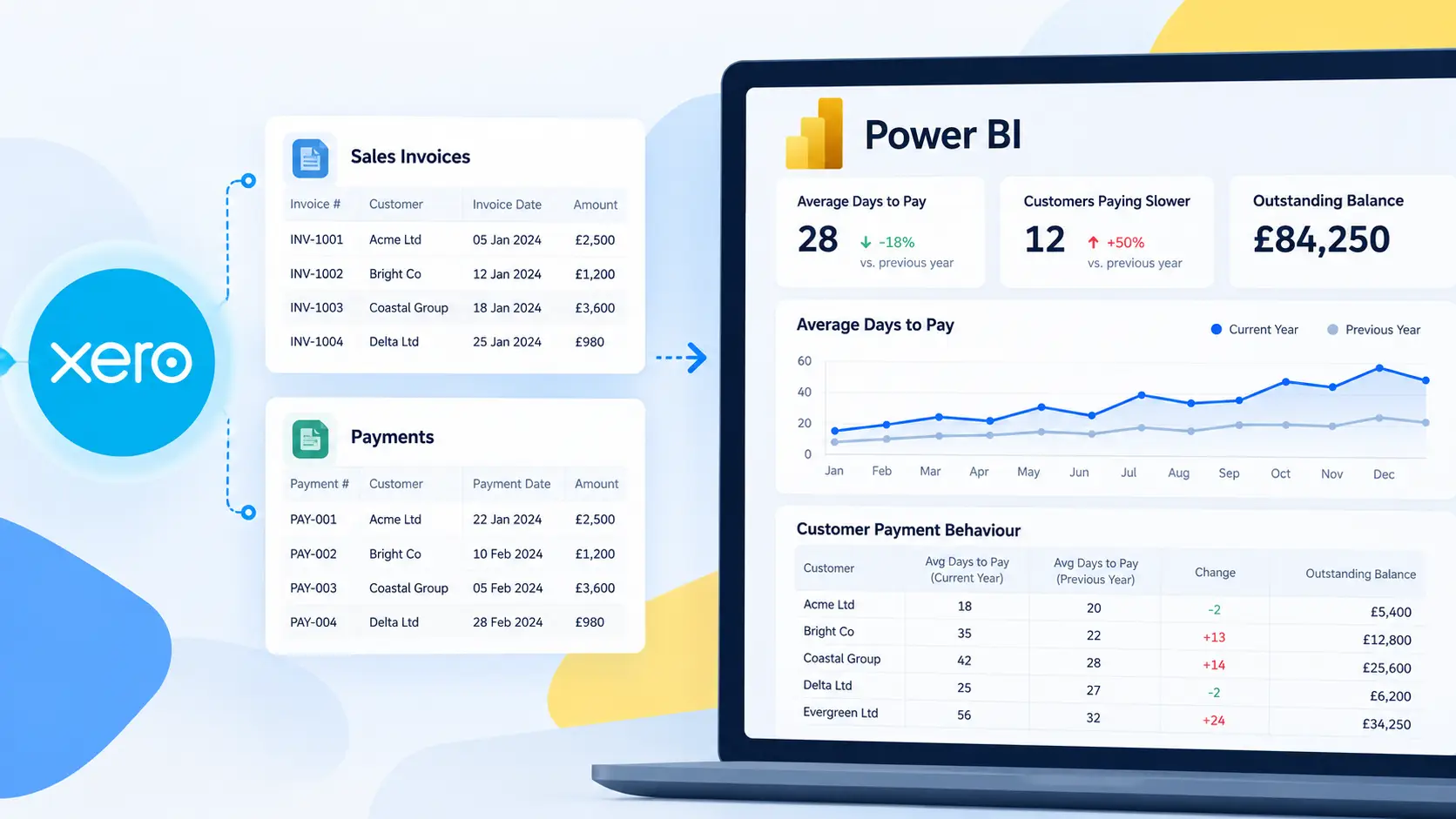

If you’re using Xero for accounting, chances are you’ve exported data into Excel at least once.
Maybe more than once.
Maybe every single month.
Exporting from Xero to Excel is common. It’s familiar. It feels flexible.
But is it the best way to build financial reports — especially if you’re using Power BI?
Let’s compare manual Excel exports vs Connectorly for Xero & Power BI and see which approach actually scales.
The Traditional Method: Exporting Xero Data to Excel

Most finance teams follow a similar process:
- Export P&L or Balance Sheet from Xero
- Export multiple entities separately
- Clean up columns
- Reformat dates
- Combine files manually
- Convert currencies if needed
- Build pivot tables
- Repeat next month
At first, this works.
But as your organisation grows, problems appear.
❌ Limitations of Manual Excel Export from Xero
- No True Consolidation
Xero does not natively consolidate multiple organisations.
You must manually combine exported files.
This increases the risk of:
- Missing accounts
- Duplicated rows
- Inconsistent account mapping
- Manual Currency Conversion
If you operate in multiple currencies, Excel becomes a workaround tool.
Exchange rates must be applied manually or through separate logic.
That means:
- More formulas
- More room for error
- More time spent validating numbers
- Repetitive Monthly Work
Manual exports mean manual repetition.
Even small changes in account structure or tracking categories can break your model.
You’re rebuilding trust in your numbers every month.
- No Automated Refresh
Excel files don’t auto-update from Xero.
Each reporting cycle starts from scratch.
The Modern Alternative: Connectorly for Xero & Power BI

Connectorly connects Xero directly to Power BI and transforms raw Xero data into a structured reporting data model.
Instead of exporting data manually, you get:
- Automatic sync from Xero
- Multi-entity consolidation
- Reporting currency flexibility
- Pre-built financial templates
- Automatic refresh
Let’s break that down.
✅ Built-in Consolidation
Connectorly allows you to group multiple Xero organisations inside Power BI.
You can:
- Build consolidated P&L reports
- Create group-level Balance Sheets
- Compare entities side-by-side
- Eliminate manual file merging
No copy-paste required.
✅ Reporting Currency Flexibility
Unlike native Xero exports, Connectorly enables reporting in a selected reporting currency.
That means:
- Consistent financial analysis
- Clean group reporting
- No complex Excel exchange rate logic
✅ Structured Data Model
Manual exports give you flat tables.
Connectorly provides a structured, optimised data model designed specifically for financial reporting.
This enables:
- Running totals
- Variance analysis
- Forecasting
- Time intelligence
- Clean DAX measures
✅ Free Ready-to-Use Power BI Templates
Instead of building reports from zero, you get:
- P&L templates
- Balance Sheet templates
- Cash Flow views
- KPI dashboards
This reduces implementation time dramatically. Check out our free templates.
✅ Automatic Refresh
Once connected:
- Data syncs automatically
- Reports update without manual intervention
- No repeated exporting
Your reporting becomes continuous — not periodic.
Side-by-Side Comparison
Feature | Manual Excel Export | Connectorly |
Multi-entity consolidation | Manual | Automated |
Reporting currency selection | Manual formulas | Built-in |
Data refresh | Manual export | Automatic |
Error risk | High | Low |
Time required monthly | High | Minimal |
Scalability | Limited | Designed to scale |
When Does Excel Still Make Sense?
Excel may be sufficient if:
- You manage a single small entity
- You only need basic reports
- You don’t require consolidation
- You don’t need automation
But once you operate multiple entities, currencies, or require group-level reporting, Excel becomes fragile.
Our complete guide to Xero reporting in Power BI provides a broader decision framework, including when Xero’s native reports or Excel may be sufficient and when automated Power BI reporting becomes the more practical option.
Which Is Better for Financial Reporting?
If your goal is:
- Accurate consolidated financial reporting
- Reduced manual workload
- Scalable reporting infrastructure
- Reliable Power BI dashboards
Connectorly is the more sustainable solution.
Excel exports solve short-term problems.
Connectorly builds long-term reporting capability.
Final Verdict

Manual Xero exports are reactive.
Connectorly enables proactive financial reporting.
If you’re still exporting from Xero into Excel every month, the real question isn’t whether it works — it’s how much time and risk it’s costing you.
Frequently Asked Questions
What is the easiest way to get Xero data into Power BI?
The easiest way is to use a connector that syncs Xero data directly into Power BI with automatic refresh. This avoids repeated exports from Xero to Excel and reduces manual data cleanup.
Is exporting from Xero to Excel good enough for financial reporting?
Exporting from Xero to Excel can be good enough for basic, single-entity reporting. However, it becomes time-consuming and error-prone when you need consolidated reporting, multi-currency analysis, or automated refresh.
How do I consolidate multiple Xero organisations for group reporting?
Xero does not provide native consolidation across multiple organisations. To consolidate, you typically need to merge exports manually in Excel or use a solution that groups multiple Xero organisations inside Power BI for consolidated reporting.
Can I choose a reporting currency in Xero consolidated reports?
In many cases, reporting currency flexibility is limited when consolidating across Xero organisations. Teams often resort to manual Excel conversion. A Power BI-based approach can support reporting in a selected currency if the integration provides the necessary structure.
With Connectorly, you can choose your preferred reporting currency.
What are the biggest risks of manual Excel exports from Xero?
The biggest risks are human error (missing rows, mismatched accounts, inconsistent formats), version control problems, and repetitive monthly work. These issues can lead to incorrect numbers and extra time spent validating reports.
How does Connectorly help with consolidated Xero reporting in Power BI?
Connectorly connects Xero to Power BI and structures Xero data for reporting. It supports grouping multiple Xero organisations, enables automated refresh, and reduces the manual work needed to create consolidated dashboards.
Do I need Power BI expertise to use Connectorly templates?
Not necessarily. Connectorly provides ready-to-use Power BI templates that reduce setup time. If you want more customisation, onboarding and support can help you tailor reports to your needs.
How often does data refresh when using a Xero to Power BI connector?
Refresh frequency depends on the connector and Power BI refresh settings. With an automated connection, data can be refreshed on a schedule without manual exports, keeping dashboards up to date.
With Connectorly, your latest Xero data is synced to your database every 60 minutes. You can also trigger a manual refresh anytime you need up-to-date information.