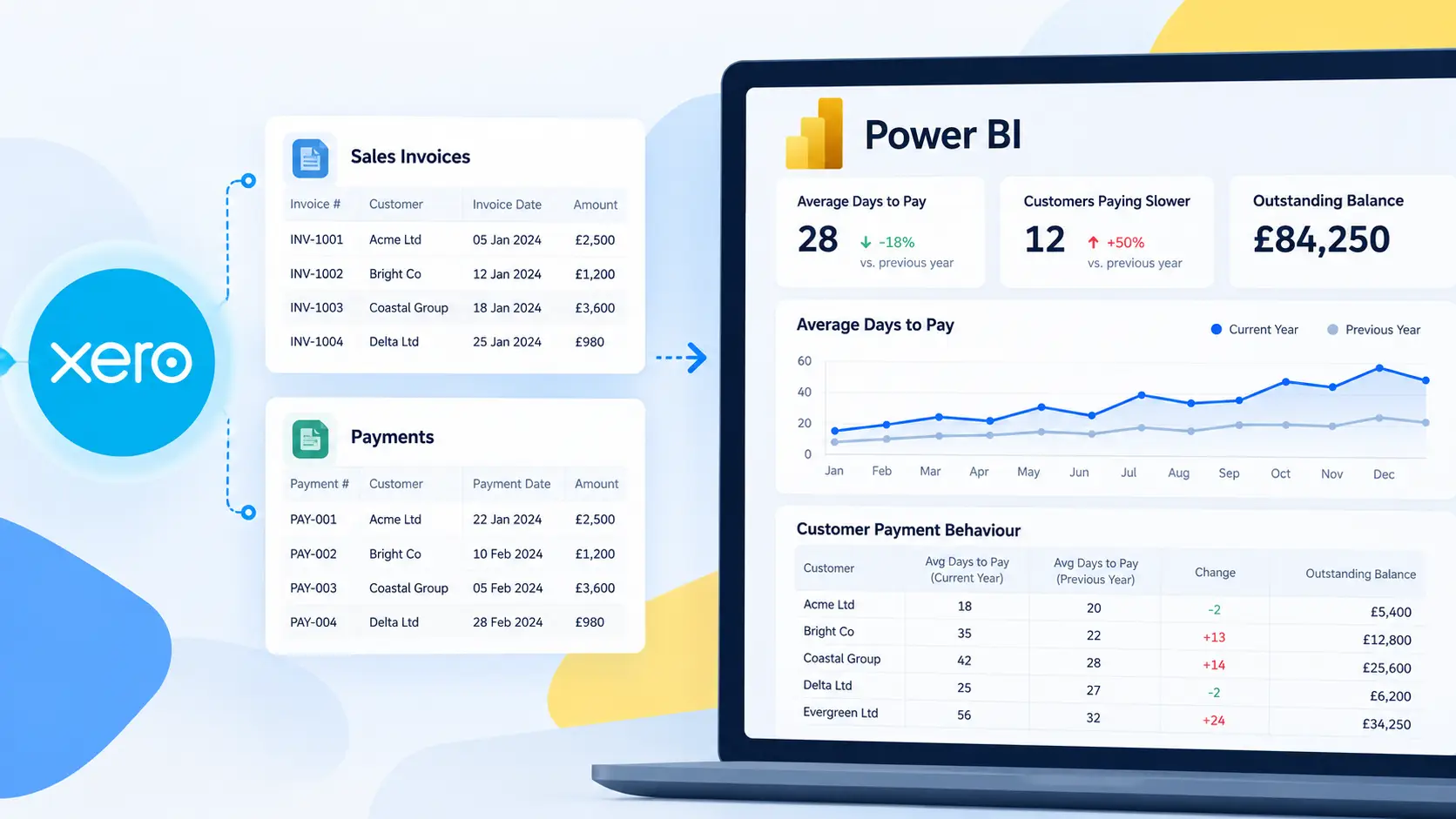
Connecting Xero to Power BI is a common requirement for finance teams and business leaders who want deeper insight into their accounting data. Power BI can visualise revenue trends, profitability, cash flow, and operational metrics, but getting reliable data from Xero into Power BI is not always straightforward.
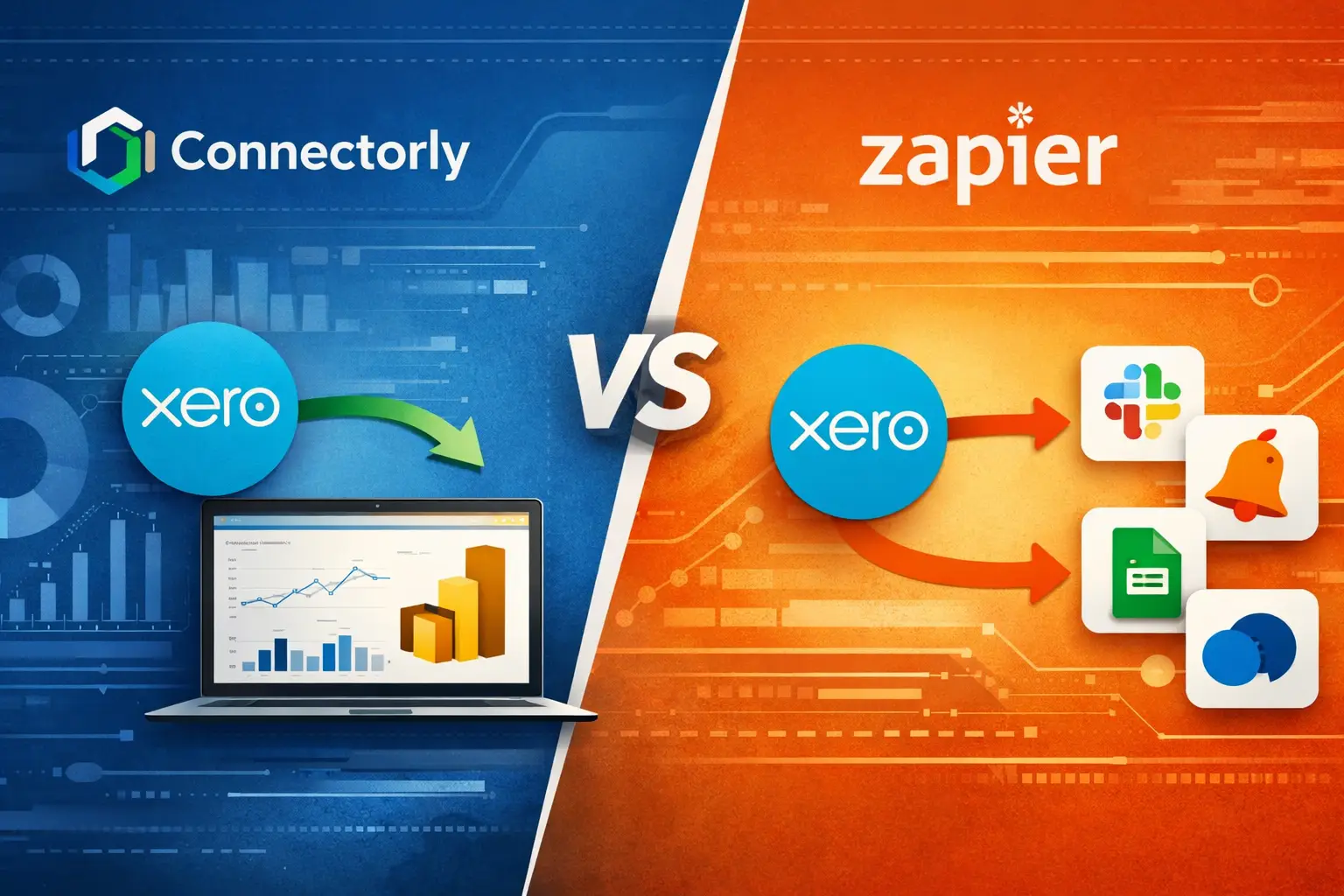
Many teams evaluating integration options come across two very different tools: Connectorly and Zapier. While both can interact with Xero, they serve different purposes and are built for different types of workflows.
In this article, we explain the practical differences between Connectorly and Zapier when your goal is to build Power BI reports from Xero data.
Why Do Companies Want to Connect Xero to Power BI?
Xero includes built-in financial reports, but many organisations need more flexibility. Power BI allows teams to combine financial data with operational information, build customised dashboards, and share insights across the business.
Typical use cases include:
Monitoring revenue and profit trends across months or financial years, analysing invoices and payment performance, comparing budget vs actual figures, and consolidating multiple Xero organisations into a single reporting view.
However, Power BI does not connect directly to Xero in a way that automatically produces a reporting-ready dataset. The data often requires reshaping, modelling, and scheduled refresh processes before it becomes useful in reports.
This is where integration tools come into play.
Our complete guide to Xero reporting in Power BI explains the different ways to move Xero data into Power BI and why reporting integrations require a different approach from event-based automation.
What Is Zapier and How Does It Work with Xero?
Zapier is a general automation platform that connects thousands of applications through event-based workflows. These workflows are called “Zaps”.
A typical Zapier workflow might look like this:
When a new invoice is created in Xero, send a notification to Slack or create a record in another system.
Zapier focuses on triggering actions between systems. It listens for events in one application and then performs a task in another application.
While Zapier does integrate with Xero, it is not designed to create full analytical datasets for reporting tools such as Power BI. The platform primarily moves small pieces of data between applications in response to events.
For example, Zapier can send invoice information to a spreadsheet or database, but building a structured financial reporting dataset from multiple Xero entities would require additional tools, manual configuration, or external storage.
Because of this, Zapier is usually used for operational automation rather than business intelligence workflows.
What Is Connectorly and How Does It Connect Xero to Power BI?

Connectorly is designed specifically for reporting and analytics integrations. Instead of triggering events between applications, it focuses on extracting, modelling, and synchronising data so that it is ready for analysis.
When Connectorly connects Xero to Power BI, it retrieves data from multiple Xero endpoints, including invoices, bills, contacts, journals, accounts, and tracking categories. The data is then organised into the Connectorly Xero Data Model, which is structured for reporting.
This data model helps Power BI users work with accounting data without needing to reshape or interpret raw API responses.
Connectorly also handles recurring data synchronisation, so reports stay up to date.
If you want to see how the connection process works in practice, this guide explains the setup process:
How To Connect Xero to Power BI Desktop and Start Reporting in Minutes
How Is the Data Structure Different Between Zapier and Connectorly?
The most important difference between the two tools is how they handle data structure.
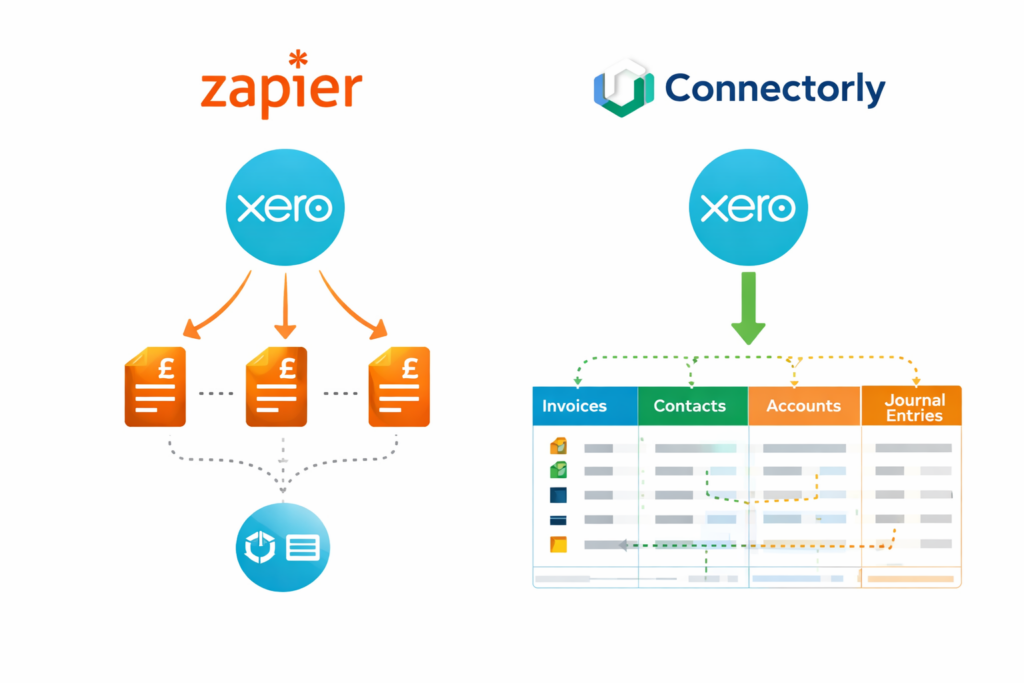
Zapier transfers individual records triggered by events. For example, it might pass invoice information to another system when the invoice is created. Each Zap handles a specific automation.
Connectorly retrieves full datasets from Xero and organises them into a structured reporting model.
This distinction matters when building Power BI reports. Financial analysis often requires relationships between multiple entities, such as invoices, contacts, accounts, and journal entries. A reporting tool also needs historical data and consistent refresh cycles.
Zapier workflows do not automatically create these relationships or maintain a complete historical dataset. Connectorly is designed specifically to provide that structure.
Can Zapier Be Used to Build Power BI Reports from Xero?
It is technically possible to use Zapier as part of a Power BI workflow, but it is not typically the most practical approach.
For example, Zapier could push Xero data into Google Sheets or another database, and Power BI could then connect to that destination.
However, this approach requires additional data modelling, storage management, and maintenance. Teams would need to design their own schema, manage refresh logic, and ensure the dataset stays consistent.
Connectorly removes much of that complexity by delivering a dataset that is already designed for Power BI reporting.
Which Tool Is Better for Financial Reporting in Power BI?
The answer depends on the type of integration you need.
Zapier is useful for operational automations such as sending alerts, updating CRM records, or triggering workflows across applications.
Connectorly focuses on analytical reporting. Its goal is to provide a reliable dataset that can be used directly in Power BI dashboards.
For finance teams and data professionals building reporting systems around Xero, the ability to access structured datasets and maintain consistent refresh cycles is typically the key requirement.
Connectorly was built with this reporting workflow in mind.
How Connectorly Simplifies Xero Reporting in Power BI?
Beyond data extraction, Connectorly includes additional features designed to support financial analysis in Power BI.
The platform provides a structured data model, reporting templates, and features such as reporting currency conversion for consolidated reports.
For teams building financial dashboards, this can significantly reduce the time required to move from raw accounting data to meaningful visualisations.
Using Power BI apps the financial reports can be easily shared between your team members.
How and Why to Create Apps in Power BI?
Final Thoughts
Zapier and Connectorly both integrate with Xero, but they serve very different purposes.
Zapier is an automation platform designed to trigger actions between applications. It works well for operational workflows and notifications.
Connectorly focuses on reporting integrations. It retrieves structured datasets from Xero and prepares them for analysis in Power BI.
For organisations looking to build financial dashboards, analyse accounting data, or consolidate multiple entities in Power BI, using a reporting-focused connector can simplify the process and reduce the amount of manual data modelling required.
Understanding the differences between these tools helps teams choose the integration approach that best matches their reporting needs.