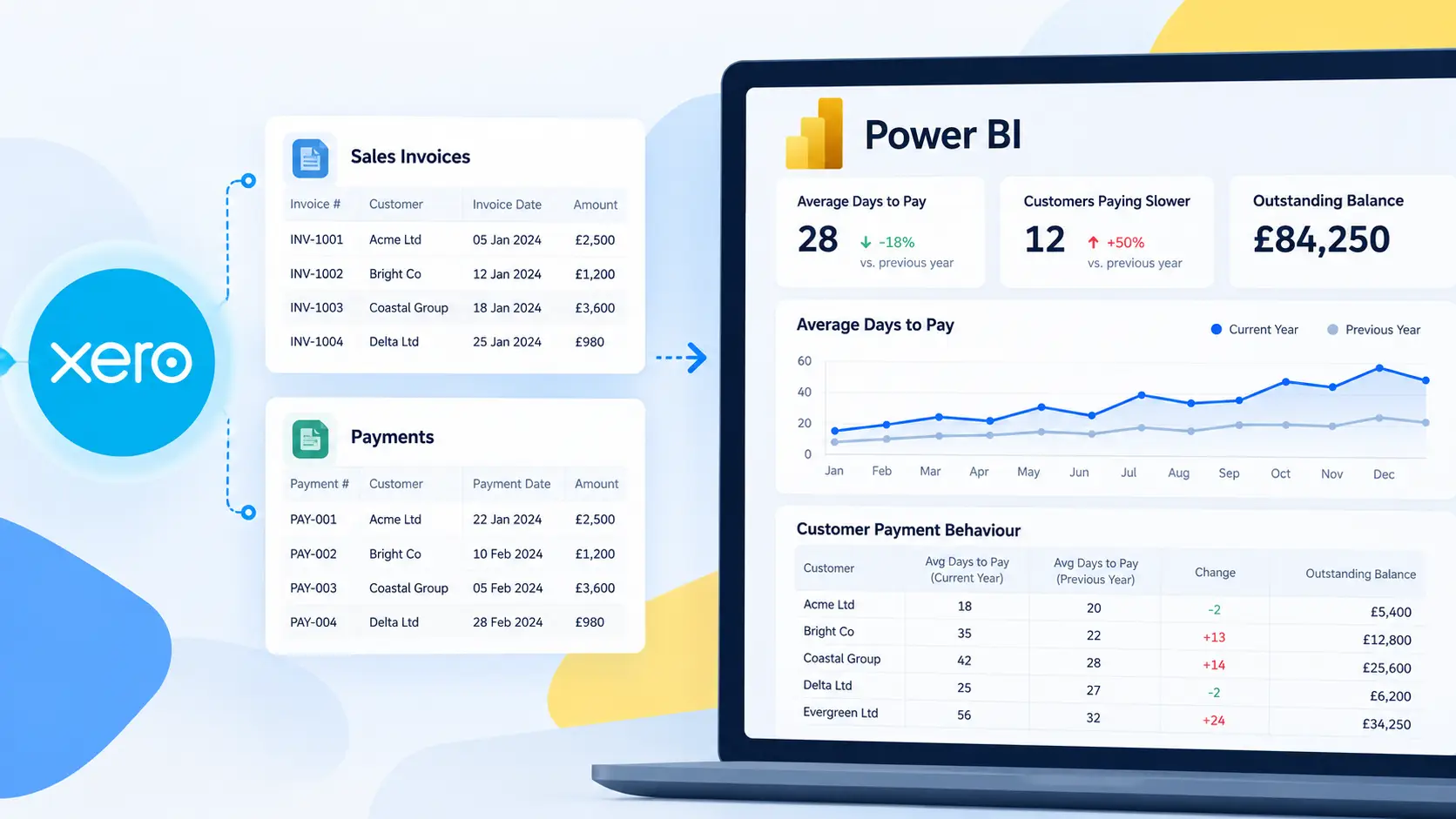

Reliable financial reporting depends on more than moving data from one platform to another. The figures used in Power BI must remain consistent with the underlying accounting records and financial outputs in Xero.
Connectorly uses automated reconciliation and regression testing to help validate the Xero data supplied for Power BI reporting. These controls independently reconstruct financial and budget values, compare them with outputs obtained directly from Xero and test software changes before release.
This article explains the process in business-friendly terms. For the complete technical description, including the customer-accessible audit views, see How Connectorly Validates Xero Financial and Budget Data.
How Does Connectorly Validate Xero Data in Power BI?
Connectorly uses two complementary layers of validation:
Ongoing production reconciliation compares independently calculated financial and budget values with Xero’s own reports and data.
Pre-release regression testing checks calculations, transformations and representative configurations before software changes are deployed.
The first layer monitors the results produced from live customer data. The second is designed to detect unintended changes during development.
Together, they help identify differences in values, missing records and changes that could affect reporting accuracy. These are internal automated controls rather than an external audit or certification.
Why Does Xero Data Validation Matter?
A Power BI dashboard can look polished while still containing incorrect or incomplete figures. Problems may arise from duplicated transactions, missing records, date logic, currency treatment, account mappings or changes to the underlying data model.
Financial reporting creates an additional challenge because different statements require different calculations.
Profit and Loss reports measure activity during a period. Balance Sheets show cumulative balances at a specific point in time. Budgets introduce another reporting layer that must be matched by organisation, budget, account and month.
A single total is therefore not enough to establish that a reporting model is working correctly. Validation needs to examine the underlying accounts and reporting periods.
Connectorly’s approach compares results at a detailed level, helping answer questions such as:
Does each monthly Profit and Loss value agree with Xero?
Do calculated month-end Balance Sheet balances match Xero’s report?
Are monthly budget values complete and consistent?
Is a difference caused by an incorrect value or a missing record?
Has a software or data-model change affected a previously correct calculation?
If you are investigating an existing discrepancy, see Why Power BI Numbers Don’t Match Xero and How to Fix Them.
How Ongoing Xero Reconciliation Works
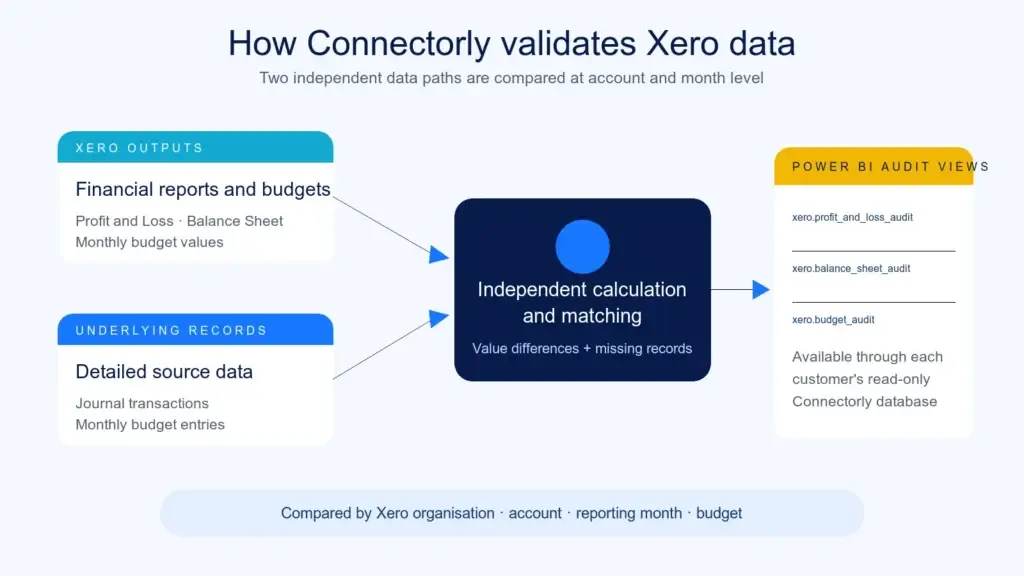
Connectorly obtains Xero’s monthly Profit and Loss and Balance Sheet reports for the latest 12 months of available data. It also retrieves the relevant budget information.
Separately, Connectorly retrieves the detailed journal transactions and monthly budget entries used for reporting. These records are then aggregated independently to reconstruct the corresponding financial results from the bottom up.
Connectorly compares these calculated values with the top-down reports and budget information obtained from Xero.
For each Xero organisation, the automated process:
Maps report lines to the corresponding Xero accounts
Aggregates the underlying journal or budget records
Matches values for the same organisation, account and reporting month
Calculates monetary and percentage differences
Identifies records that appear on only one side of the comparison
This is more comprehensive than checking whether one report total looks reasonable. A total can agree even when individual account differences offset one another.
Account-by-account and month-by-month reconciliation makes those differences visible. The results are recalculated when the customer’s data changes and are available for reporting in Power BI.
What Does Connectorly Reconcile?
Connectorly applies the same core principle to Profit and Loss, Balance Sheet and budget reporting. However, each area requires a calculation suited to the financial information being validated.
Profit and Loss
For Profit and Loss reporting, Connectorly aggregates the underlying journal lines for each account and calendar month.
It compares the independently calculated monthly result with the corresponding account value in Xero’s Profit and Loss report.
The comparison includes the organisation, account, month, Xero-reported value, Connectorly-calculated value and any monetary or percentage difference.
Balance Sheet
Balance Sheet accounts require a cumulative calculation because the report shows balances at a particular point in time.
Connectorly calculates the journal-derived balance for each account as at the end of every reporting month. It then compares that result with the corresponding value in Xero’s Balance Sheet report.
This helps verify that the detailed journal model produces balances consistent with Xero’s month-end financial statements.
Budgets
For budget validation, Connectorly aggregates monthly budget entries by organisation, budget, account and reporting month.
The independently calculated amount is compared with the corresponding monthly budget value obtained from Xero. The result shows the Xero amount, Connectorly amount and any monetary or percentage variance.
Identifying missing records
Profit and Loss and budget reconciliation use full outer comparisons during matching.
This is important because a simple value comparison only examines records present in both datasets. A full outer comparison can also reveal an expected account, month or budget record that appears on one side but is absent from the other.
The process can therefore identify both incorrect values and potentially missing data.
Can Customers Inspect the Reconciliation Results?

Yes. The reconciliation output is available through three views in each customer’s dedicated Connectorly database:
xero.profit_and_loss_auditxero.balance_sheet_auditxero.budget_audit
Customers can query these views in Power BI using their dedicated read-only database user.
Depending on the audit type, the available information includes:
The value obtained from Xero
The value independently calculated by Connectorly
The monetary difference
The percentage difference
The account and account classification
The reporting month
The Xero organisation
The applicable budget
This makes the validation process transparent. Instead of receiving only a general statement that data has been checked, customers can inspect the comparison at account and reporting-period level.
The complete technical explanation of these views is available in our Help Centre guide to how Connectorly validates Xero financial and budget data.
How Connectorly Tests Changes Before Release
Live reconciliation checks the results produced from customer data. Connectorly also uses automated regression and consistency testing before software changes are released.
The tests cover areas including:
Financial calculations
Profit and Loss and Balance Sheet reconciliation
Data transformations
Database schema consistency
Permissions
Currency handling
Data integrity
Different account structures
Tracking configurations
Duplicate or unusual source records
Testing is performed across representative customer configurations and financial-data scenarios rather than one generic dataset.
This is important because a change may work correctly for a straightforward organisation but create an unexpected result for a business using a different reporting currency, unusual account structure or more complex tracking configuration.
The test suite also queries the financial audit outputs and fails when unexplained differences are detected. This helps identify changes that could affect previously correct calculations before they reach production.
Retaining test history
Connectorly retains the configuration, execution time, result and relevant failure details from automated test runs.
The historical record makes it possible to identify when a previously passing calculation or configuration begins to fail after a software or data-model change. Developers can then compare the failure with earlier successful executions and investigate it in context.
What Happens When Connectorly Finds a Difference?
The audit views and automated tests expose differences at the most relevant available level, such as organisation, account, month and budget.
This allows Connectorly to investigate whether a difference is associated with:
A calculation or data-transformation issue
Missing information on either side of the comparison
A changed account or reporting configuration
Currency treatment
Duplicate or unusual source records
A software or data-model change
A difference between Xero’s underlying records and its report output
A difference does not automatically mean that Connectorly’s data is incorrect. Source-system behaviour, reporting configuration and timing can also affect the result.
The purpose of the validation process is to make differences visible and provide enough detail to investigate their cause.
Production reconciliation supports ongoing monitoring, while pre-release testing is intended to detect unintended changes before deployment.
Frequently Asked Questions About Xero Data Validation in Power BI
Does Connectorly data always match Xero exactly?
The reconciliation is designed to identify and expose differences rather than assume that every value will always match. A difference may result from source data, configuration, currency treatment, timing or a calculation that requires investigation.
How much Xero data is reconciled?
The automated financial-report reconciliation uses the latest 12 months of available monthly Profit and Loss and Balance Sheet reporting data for each Xero organisation. Relevant budget information is also reconciled.
When are the audit results recalculated?
The reconciliation and audit results are recalculated when the customer’s Connectorly data changes.
Can customers query the audit results themselves?
Yes. Customers can query the Profit and Loss, Balance Sheet and budget audit views through their dedicated Connectorly database using their read-only database user.
Is this the same as an external financial audit?
No. These are internal automated reconciliation and software-testing controls operated by Connectorly. They do not represent an independent audit, formal certification or external assurance opinion.
Does reconciliation replace reviewing a Power BI report?
No. Organisations should still agree on KPI definitions, test filters and validate that the Power BI report meets their own reporting requirements. Reconciliation provides a stronger data foundation, but report design and business logic also affect the final result.
A More Transparent Approach to Xero Reporting
Reliable reporting requires both accurate source data and clearly defined Power BI calculations.
Connectorly’s production reconciliation independently reconstructs financial and budget values and compares them with Xero’s outputs. Pre-release testing provides a second control layer by checking calculations, transformations and representative customer configurations before deployment.
Customers can also inspect the audit results directly in Power BI. This provides visibility into the Xero value, the Connectorly-calculated value and any difference at account and reporting-period level.
These controls cannot replace good report design or organisation-specific validation. However, they provide a structured and transparent foundation for building dependable financial dashboards.
For more information:
Read the technical Help Centre article: How Connectorly Validates Xero Financial and Budget Data
Explore the broader reporting process: The Complete Guide to Xero Reporting in Power BI
Investigate reconciliation differences: Why Power BI Numbers Don’t Match Xero
Learn about the Connectorly Xero and Power BI integration